


This guide compares eight mobile app types: native, cross-platform, web apps, progressive web apps (PWAs), hybrid apps, native iOS, native Android, and instant or lightweight app experiences. A mobile app is a software product designed to run on a device or through a browser.
Each type differs in performance, device access, development method, and maintenance demands. Some are built specifically for iOS or Android using tools such as Swift, SwiftUI, or Kotlin. Others use shared codebases or browser technologies to reach users faster across platforms. These differences affect development cost, platform reach, user experience, integrations, and long-term maintenance.
This guide compares eight mobile app types to help UK founders, SMEs, scale-ups, and enterprise teams choose the right development model. Android accounted for 50.15% of mobile operating system usage and iOS accounted for 49.38% in February 2026, according to StatCounter's UK mobile operating system data. Native distribution still dominates, but browser-based and alternative delivery models also matter. The best option is the one that fits how customers use the product, which is central to the value outlined in this guide to the benefits of mobile apps.
1. Native Apps for Platform-Specific iOS and Android Development
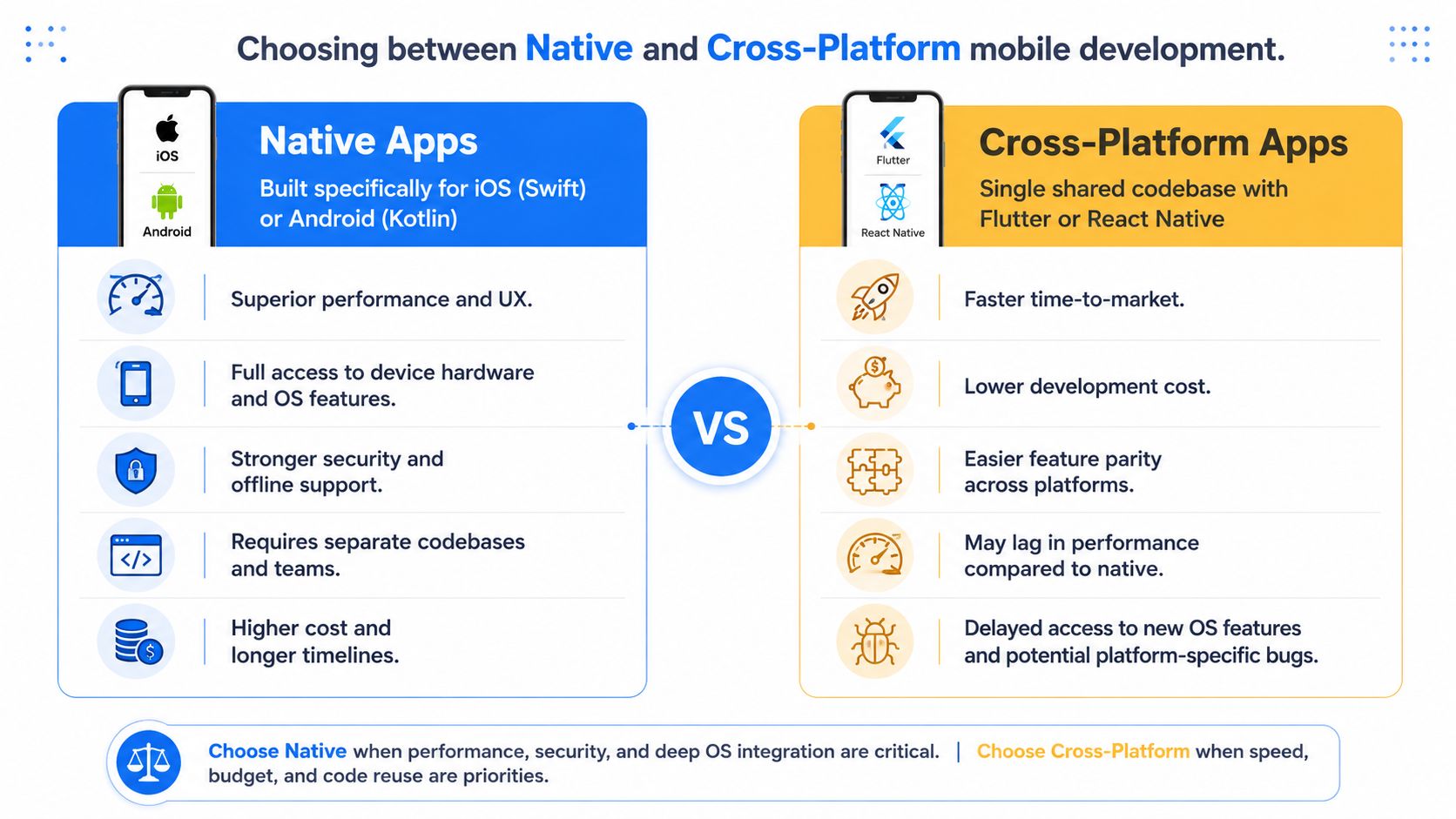
Native apps are built for one operating system. iOS teams usually use Swift and SwiftUI, while Android teams use Kotlin and Android's native libraries. That means separate application code, platform-specific testing, and release workflows for iOS and Android.
The main benefit is direct control over device hardware, operating system APIs, performance, and platform-specific behaviour. Developers can work directly with device hardware, operating system APIs, and platform conventions. A banking app using biometrics, a health app connected to sensors, or a field-service tool that needs camera and location access while operating with limited connectivity may justify this approach.
The trade-off is effort. iOS and Android features need separate implementation and testing, so teams should define feature parity early, share backend APIs where possible, and decide whether both platforms need to launch at the same time. For teams validating an idea, the best platform for an MVP may simply be the one that reaches target users faster, unless the core feature needs native capability from day one.
Where native apps make commercial sense
Choose native development when the product depends on:
High-performance interactions: Complex animation, graphics, media processing, or demanding real-time behaviour.
Deep hardware access: Bluetooth devices, biometrics, cameras, sensors, location services, or custom peripherals.
Platform-specific experiences: Interfaces that need to follow Apple or Android patterns closely.
Long-term platform control: Immediate access to new OS capabilities and detailed performance profiling.
Native apps also suit products where reliability and trust matter more than the fastest launch. The UK government's app security code covers encryption in transit and local encryption where used, so secure architecture should be planned early. Teams can review the UK app security and privacy code before choosing an architecture.
Practical rule: If a feature depends on the operating system, prototype that feature natively before committing to a shared framework.
A native build can still share backend services, authentication, databases, and API contracts. The mobile layer stays platform-specific, which increases maintenance but reduces front-end compromise.
2. Cross-Platform Apps with Flutter and React Native
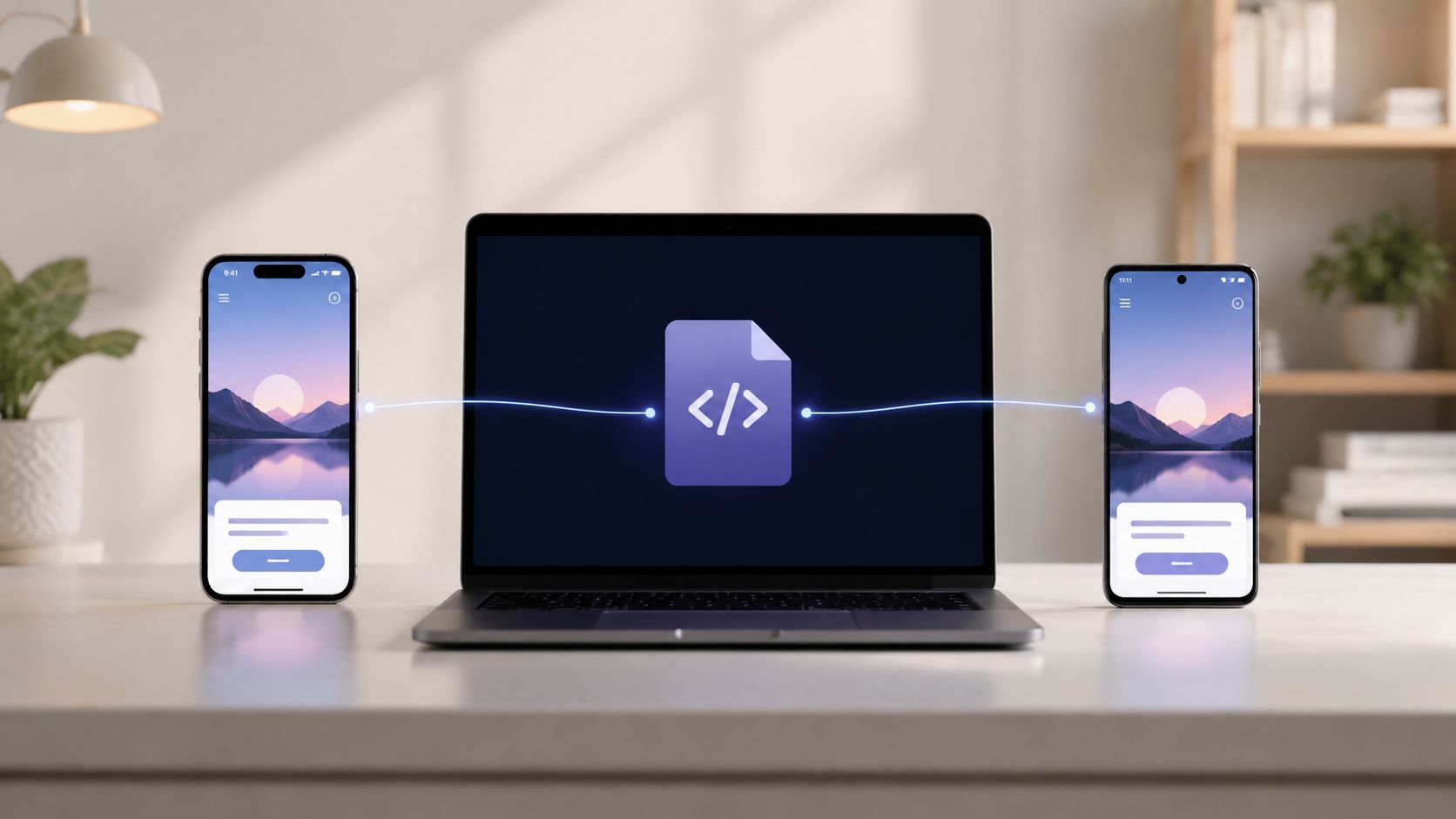
Cross-platform frameworks let teams share much of the application code across iOS and Android. Flutter uses Dart and its own rendering system. React Native uses JavaScript or TypeScript and connects app code to native components.
Cross-platform development is strongest when iOS and Android coverage matters but the product does not depend heavily on specialised device behaviour. One team can validate the same proposition across both platforms, share business logic, and keep releases aligned. That can cut duplicated development, although the savings depend on team skills, integrations, and scope.
Shared code still needs platform judgement. Teams must test on real iPhones and Android devices, configure permissions, and account for differences in notifications, background activity, payments, accessibility, and hardware behaviour. Cross-platform development reduces repetition. It does not remove QA, release management, or platform-specific fixes.
The MVP and business-app sweet spot
This approach often suits:
MVPs targeting both platforms: Comparable iOS and Android releases support early validation.
Business applications: Forms, dashboards, bookings, customer accounts, and workflow tools often share interface patterns.
Products with moderate hardware needs: Standard camera, location, notification, and authentication features are usually manageable.
Teams with web or JavaScript expertise: React Native may reduce the learning curve, while Flutter can suit teams that want a controlled UI toolkit.
A tightly scoped MVP may be delivered in around 4 to 6 weeks when design, backend requirements, and integrations are limited. Features, integrations, design needs, and backend complexity will change the timeline, so treat that as an early planning guide, not a promise.
Before choosing a stack, it helps to compare the trade-offs in React Native versus native development.
Flutter and React Native both support platform-specific code where needed. The mistake is assuming every feature should be abstracted. Set clear boundaries for payments, biometrics, Bluetooth, background processing, and other areas where iOS and Android behave differently.
3. Progressive Web Apps for Browser Reach and Native-Like Access
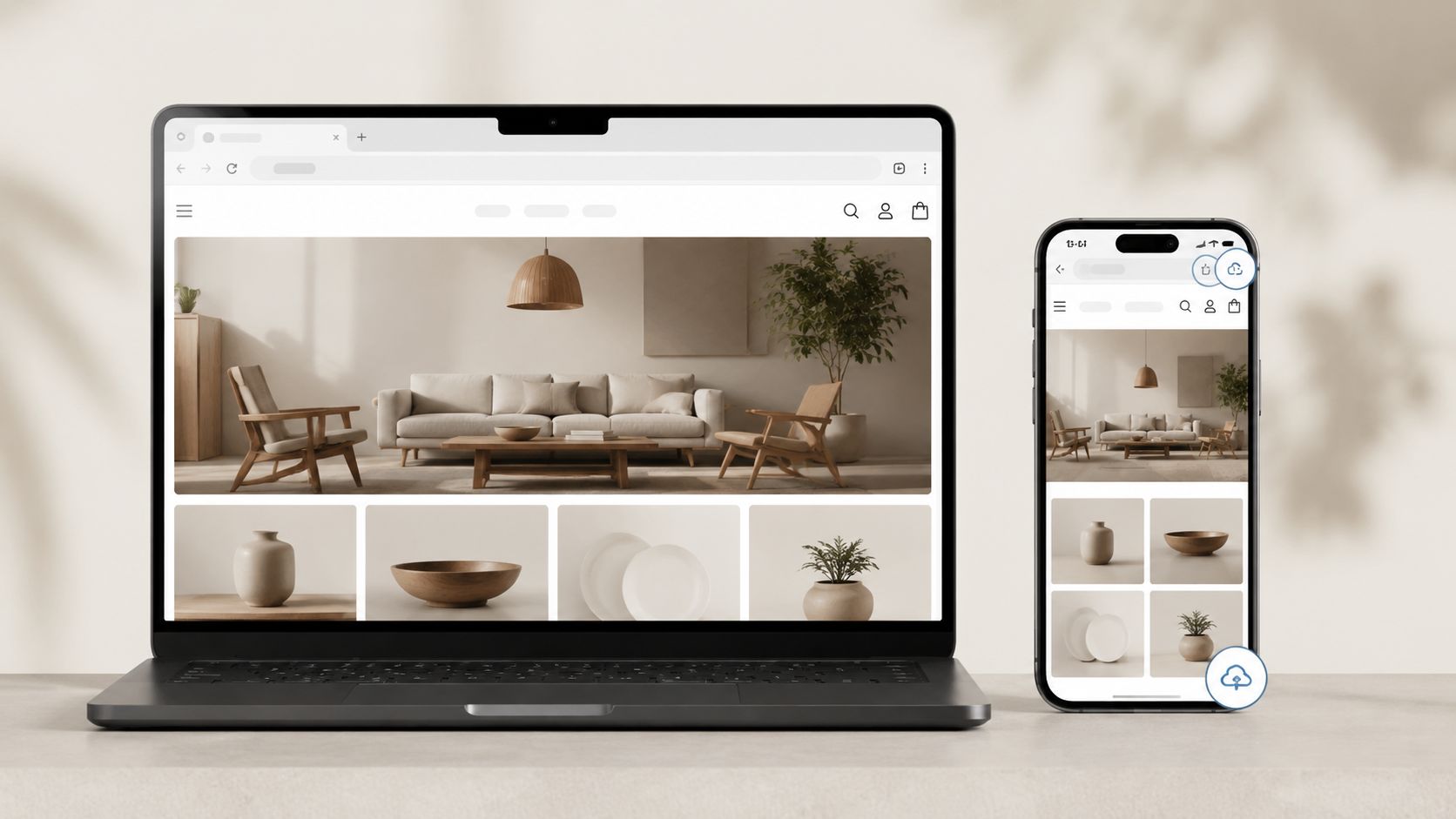
Progressive web apps, or PWAs, are web applications enhanced with browser capabilities. They use web technologies such as HTML, CSS, and JavaScript, with capabilities such as service workers, caching, installation, offline access, and notifications where supported.
A PWA can suit a retailer that wants low-friction browsing, a transport provider that needs a lightweight booking flow, or an organisation that wants one responsive product across phones, tablets, and desktops. Users can reach the service through a link, which reduces acquisition friction and makes campaigns easier to distribute.
The trade-off is inconsistent browser and platform support. Browser permissions, background behaviour, storage, notifications, and installation flows vary by platform. iOS still imposes limits that Android browsers do not, so teams need to test real journeys on real devices.
Build the PWA around network conditions
A good PWA is not just a website with an install button. Teams need a clear offline and caching strategy. Decide which screens work without connectivity, how stale data is flagged, what happens when a user submits a form offline, and how sync conflicts are resolved later.
Useful priorities include:
Offline-first journeys: Cache the screens and data that support the core task.
Low-end device testing: Measure startup and interaction quality on realistic hardware.
Service worker control: Prevent stale assets after release.
Clear recovery states: Tell users whether an action succeeded, is pending, or needs another attempt.
Selective native integration: Pair the PWA with a native app where device access or retention justifies it.
A PWA supports organic search when its public content remains crawlable and indexable on the web. That will not matter for every product, especially internal tools, but it can help discovery-led services.
The browser model works best when reach and direct updates matter more than deep platform integration. It is not a universal substitute for native apps. Teams should validate notification reliability, authentication, payments, and accessibility on the devices their audience actually uses.
For a visual explanation of how a PWA behaves across devices, the following embedded video is useful:
4. Hybrid Apps Using Web Views Inside Native Containers
Hybrid apps place web content inside a native shell. Frameworks such as Apache Cordova and Capacitor let teams build much of the product in HTML, CSS, and JavaScript, then expose selected device features through plugins or JavaScript bridges.
This can suit an internal operations tool, an early prototype, or an existing web product that needs app-store packaging. If a business already has a responsive portal, authentication flow, and backend, a hybrid container can extend that investment to mobile without rebuilding every screen in Swift or Kotlin.
The compromise shows up in the interaction layer. A WebView adds another rendering environment, and performance depends heavily on the quality of the underlying web app. Slow navigation, oversized assets, weak caching, and poor touch targets do not improve just because they sit inside a native wrapper.
Keep hybrid scope controlled
Hybrid development is easiest to justify when the product has modest interaction demands and the business values reuse. It becomes harder to defend when users expect fluid animation, rich offline support, intensive media handling, or highly polished platform behaviour.
Teams should:
Limit plugin dependencies: Every plugin adds version, security, and maintenance risk.
Test WebView behaviour: Check rendering, keyboard handling, file access, and permissions across target devices.
Optimise the web layer: Compress assets, cut unnecessary requests, and keep core journeys responsive.
Protect the upgrade path: Document native integrations so a future move to Flutter, React Native, or native code is manageable.
A hybrid app works as a bridge, but teams need to reassess the architecture as performance and native-integration requirements increase. If the app is becoming a core customer channel, reassess whether the WebView still fits.
5. Web Apps for Installation-Free Access
Web apps run in the browser and do not require installation or app-store approval. They can support customer portals, booking systems, dashboards, online ordering, account management, and internal workflows. Teams usually build them with HTML, CSS, and JavaScript, connected to APIs and backend services.
The main advantage is reach. A user can open a link on a phone, laptop, or tablet, sign in, and start a task without downloading anything. Teams can also release changes directly through the web deployment process, which suits products that need frequent pricing, content, or workflow updates.
Web apps also reduce app-store dependency, but they do not reduce engineering responsibility. Teams still need secure authentication, permission controls, HTTPS, input validation, reliable API handling, and cross-browser testing. A responsive desktop layout can still frustrate mobile users if forms, tables, and navigation were not designed for touch.
Treat mobile web as a product channel
A practical web app plan should include:
Mobile-first interaction design: Make the primary task usable on a small screen, ideally with one hand.
Device analytics: Understand which browsers, screen sizes, and operating systems customers use.
Efficient caching: Reduce repeated downloads without serving stale data.
Progressive enhancement: Add PWA features later if installation, offline access, or notifications become valuable.
Security at the application layer: Protect sessions, APIs, user data, and admin functions independently of the interface.
A web app often suits a business that wants broad access before committing to native development. It can also become the foundation for a PWA, provided core product logic is separated from browser-specific enhancements.
Teams planning a browser-based product can review what goes into web app development alongside their needs for authentication, integrations, responsive design, and support.
This model is not ideal for every use case. Products that rely on intensive background processing, advanced sensors, persistent offline operation, or high-frequency native interactions may need a mobile app instead.
6. iOS-Specific Native Apps with Swift and SwiftUI
iOS-specific native apps target Apple devices and use Swift, SwiftUI, and Apple's development tools. This gives teams direct access to Apple APIs and lets them follow the interaction patterns in Apple's Human Interface Guidelines.
This approach suits premium consumer services, apps connected to Apple Watch, products built around Apple Pay or HealthKit, and businesses whose audience is concentrated on iPhone. It also works well when teams want tight control over interface behaviour, accessibility semantics, animations, and release quality.
SwiftUI can speed up UI development for new products by letting teams describe interfaces declaratively. UIKit still matters for some mature components and advanced integrations, so the choice is not always either-or. A sensible architecture can combine SwiftUI with established Apple frameworks where needed.
Plan for the Apple ecosystem, not one iPhone
An iOS product still needs testing across screen sizes, device capabilities, OS versions, permission states, interruptions, and accessibility settings. Real-device testing matters because simulators cannot fully reproduce battery behaviour, camera performance, biometric flows, or network conditions.
Teams should define:
Supported OS versions: Decide which users get new features and which versions only receive maintenance.
Account and payment flows: Test sign-in, subscriptions, Apple Pay, and restore behaviour early.
Release governance: Use App Store Connect analytics, crash monitoring, and controlled rollout practices.
Design consistency: Follow iOS conventions instead of copying an Android interface onto an iPhone.
Privacy disclosure: Explain data collection and permissions in plain language.
The UK government's GOV.UK app published its iOS version in July 2025, and the government's accessibility statement describes testing against WCAG 2.2 AA while recording partial compliance. That is a useful reminder that public trust, accessibility, and identity flows need architectural attention, not just visual review. Teams can review the GOV.UK app accessibility statement when designing high-trust services.
For a deeper look at Apple stack choices, see this guide to iOS programming languages.
7. Android-Specific Native Apps with Kotlin
Android-specific native apps use Kotlin, Android SDKs, and Jetpack libraries. Teams can use Jetpack Compose for modern declarative interfaces, alongside established Android components where required.
Android native development is useful when the product must integrate with custom hardware, support unusual device configurations, work with Google services, or serve a broad range of Android users. It can also suit organisations that need detailed control over background processing, storage, battery use, and manufacturer-specific behaviour.
That flexibility creates testing work. Android devices vary by screen size, manufacturer customisation, OS version, performance profile, and permission implementation. A product designed only on a high-end Pixel may not reflect the experience of users on Samsung, Motorola, or lower-spec hardware.
Make device coverage a product decision
Teams should not try to test every Android device. They should define target demographics and prioritise representative devices based on customer data, geography, hardware needs, and business risk.
A strong Android plan includes:
Kotlin and Jetpack conventions: Use supported libraries and maintain clear lifecycle boundaries.
Real-device validation: Test camera, notifications, storage, biometrics, and background activity outside emulators.
Resource profiling: Monitor memory, CPU, battery, and network behaviour with Android Studio tools.
Permission resilience: Handle denied, revoked, and limited permissions without breaking the core journey.
Release monitoring: Track crashes and behaviour by device family, OS version, and app version.
Android native development can be the right fit for logistics scanners, transport tracking, field-service workflows, and custom enterprise hardware. It may be unnecessary for a content-led product or straightforward account portal where a web app or cross-platform build is enough.
Distribution also deserves early attention. Official stores dominate UK native distribution, but Android supports additional delivery routes in some contexts. The UK government's consumer survey found that 92% of Android users had used Google Play, 27% had used web apps, 26% had used sideloading and 18% had used app repositories or marketplaces. The figures appear in the UK government consumer survey report, and they reinforce the need to decide whether store distribution alone is enough for the intended audience.
8. Instant Apps and Lightweight App Experiences
Instant apps and lightweight app variants let users access a focused feature without installing the full app first. An Android user might open a booking or payment flow from a link, try a core experience, and install the full app only if the value is clear. A lightweight variant can also help users with limited storage or poor connectivity.
This model works best when one task can prove value quickly. A travel company could expose route lookup, a retailer could offer a product interaction, and a service marketplace could let users view a booking flow before prompting for full installation.
The challenge is scope. An instant experience should not try to be a smaller version of everything. It needs one clear job, a fast path to completion, and a clear explanation of what the full app adds.
Design the upgrade path deliberately
Product teams should measure the whole journey, not just the first interaction. Useful signals include task completion, requests for additional features, where install prompts appear, and whether the full app preserves progress.
Focus on:
One core value proposition: Strip out secondary screens and optional settings.
Small payloads: Keep the first experience efficient on slow connections.
Simple backend requests: Reduce dependencies that delay the first useful action.
Clear upgrade messaging: Explain which features require the full app and why.
Storage transparency: Tell users what installation changes before they commit.
Instant and lightweight experiences are not substitutes for every mobile app type. They are useful for discovery, trial, and focused feature delivery. A product with complex authentication, persistent offline data, or deep device integration will usually still need a full application behind the entry point.
The approach also needs careful analytics and lifecycle design. If users start a task in an instant experience, the full app must carry over identity, context, and unfinished work. Otherwise the lightweight path adds friction instead of removing it.
8-Way Mobile App Types Comparison
| Platform / Approach | Implementation Complexity (🔄) | Resource Requirements (⚡) | Expected Outcomes (⭐ 📊) | Ideal Use Cases (💡) | Key Advantages |
|---|---|---|---|---|---|
| Native Apps (iOS & Android) | High, separate platform codebases, native toolchains | High, dedicated platform teams, longer timelines | Top performance & UX; immediate OS/hardware access ⭐⭐⭐ 📊 | High-performance games, finance, healthcare, enterprise | Full hardware/OS access; best security & offline support |
| Cross-Platform (Flutter, React Native) | Medium, single codebase + native bridges | Medium, smaller team, faster iterations | Fast time-to-market; near-native UX with some trade-offs ⭐⭐ 📊 | MVPs, content apps, startups, business apps | Shared codebase; lower cost; simultaneous updates; hot reload |
| Progressive Web Apps (PWA) | Low-Medium, web stack + service worker complexity | Low, single web team, minimal native infra | Broad reach; installable-ish experience; limited native APIs ⭐⭐ 📊 | Content/media, mobile e-commerce, emerging markets | No app store; instant updates; SEO-friendly; low cost |
| Hybrid Apps (Cordova / Capacitor) | Medium, web UI inside native shell, plugin management | Low-Medium, web developers, plugin maintenance | Faster cross-platform delivery; reduced polish/perf ⭐ 📊 | Content-driven apps, internal enterprise apps, rapid prototypes | Reuse web assets; single team; faster than full native |
| Web Apps (Browser-based) | Low, standard web development practices | Low, typical web stack & hosting | Universal access via URL; immediate updates; needs connectivity ⭐ 📊 | E-commerce, SaaS, publishing, internal tools | No install; fastest deployment; SEO and lowest cost |
| iOS Native (Swift) | High, Apple-specific APIs, Xcode workflows | High, Swift expertise, macOS tooling | Best iOS optimisation, deep ecosystem features ⭐⭐⭐ 📊 | Premium consumer apps, HealthKit/watchOS, finance, gaming | Immediate access to iOS APIs; superior wearable/ecosystem integration |
| Android Native (Kotlin) | High, fragmentation handling, Jetpack tooling | High, Kotlin expertise, device testing across OEMs | Wide global reach; flexible distribution; varied device support ⭐⭐ 📊 | Emerging-market apps, custom hardware, enterprise integrations | Flexible distribution; strong hardware integration; large user base |
| Instant / Lightweight Apps | Medium, modular architecture, feature prioritisation | Medium, modular builds, analytics for conversion | Low-friction discovery; smaller downloads; conversion lift ⭐📊 | E-commerce previews, travel booking, game trials, emerging markets | Try-before-install; minimal storage impact; faster time-to-first-use |
Choose the App Type That Matches the Roadmap
The best mobile app type follows the product's main constraint. If performance, hardware access, security, or offline behaviour defines the experience, choose native development. Native iOS and Android builds take more platform-specific engineering, but they provide direct operating system access and tighter control over testing and UX.
Choose cross-platform development when the product needs credible iOS and Android coverage, fast validation, and a shared delivery model. Flutter and React Native can work well for startups, SMEs, and product teams testing demand before investing in separate codebases. The decision still depends on integrations, animation, background processing, accessibility, team capability, and the likelihood of platform-specific features later.
Choose a web app or PWA when broad access, direct updates, search visibility, and low-friction entry matter more than deep device integration. This route is often practical for customer portals, booking journeys, dashboards, and commerce experiences. Add PWA capabilities when installation, offline access, or notifications support a validated user need.
Hybrid apps have a narrower role. They can support internal tools, prototypes, and existing web products that need a packaged mobile presence. Lightweight or instant experiences work well for trials and focused feature delivery, provided the core task is simple and the upgrade path is clear.
Budget decisions should cover more than the first build. Review design, backend services, API integration, QA, security testing, store submission, analytics, platform upgrades, and post-launch maintenance. The UK app-store proposals also show why metadata and permission transparency belong in product planning. Proposed rules cover details such as update history, update regularity, reviews, downloads, developer identity, location, and permissions with justifications, as outlined in the UK app security and privacy intervention consultation.
What Is The Cost Of Mobile App Development?
Mobile app development costs between £10,000 and £40,000 on average, with basic apps around £8,000-£12,000 and complex applications reaching £35,000-£80,000 or more.
Pricing depends on app type, features, platform (iOS or Android), design complexity, development team location, integrations, security requirements, and ongoing maintenance. The final price is influenced by platform choice, features, development region, third-party integrations, and support needs, making the app development cost vary.
A professional app development agency can test the architecture against performance requirements, platform coverage, security risk, and the long-term roadmap. The right development partner should challenge the stack choice, not just implement the first preference. London App Development provides native iOS and Android development, Flutter and React Native development, web applications, API integration, testing, launch support, and maintenance.
Before development starts, define:
Target users and devices: Identify who will use the product and where they expect to access it.
Critical integrations: List payments, identity, sensors, hardware, maps, messaging, and enterprise systems.
Data risks: Classify personal, health, financial, and operational data before designing storage and access.
MVP scope: Separate the smallest testable product from future platform-specific features.
Post-launch ownership: Budget for monitoring, security updates, OS changes, bug fixes, and product improvements.
Testing and deployment should be part of the delivery plan from the start. Use this app launch guide when planning store submission, release preparation, analytics, and the move from a working build to a usable product. A careful launch plan also helps teams address retention risks, including the concerns discussed in this analysis of reducing churn for developers.
The right answer is rarely "native is best" or "cross-platform is cheapest". Choose the model that fits the users, platforms, integrations, data risks, MVP scope, and maintenance commitment you can actually support.