iOS App Development Reviews

Trusted by 250+ global brands. Explore verified reviews across our specialized tech ecosystems.

Nia Leiws - My Fit Month
My Fit Month Logo

Excellent communication, professionalism, and responsiveness throughout the project. Their commitment to delivering outstanding results made them a reliable & exceptional development partner.

Nia Lewis

Director, My Fit Month Ltd

Danny Thomas - NGE Booking
NGE Client Logo

Demonstrated outstanding expertise and professionalism while delivering top-notch results. A trusted partner for high-quality app development services.

Danny Thomas

Digital Operations Manager, NGE Booking

Alex Hobern - Hope
Hope Client Logo

Strong project management and timely delivery ensured a successful outcome. Their professionalism and reliability make them a dependable development partner.

Alex Hobern

Managing Director, Hop

Micheal Harris - Unify London Taxis
Unify London Taxis Client Logo

Delivered all project requirements within the agreed timeline with dedication and efficiency. Their commitment and timely execution contributed to a successful project outcome.

Micheal Harris

Unify London Taxis Limited

Our iOS Application Development Services

Our iOS application development services are specialised in Swift and have lifecycle support. Our developers build products that align with Apple's Human Interface Guidelines and undergo a review on the first submission to the entire Apple ecosystem.

Custom iOS Development

We build custom iOS apps for healthcare workflows, giving providers secure patient data handling and real-time monitoring via HealthKit integration.

Native iOS Development

We build fully native apps with Swift 6 and Xcode, unlocking full access to ARKit, camera, and other device-level hardware frameworks.

eCommerce Development

We create secure iOS storefronts with StoreKit 2 integration, handling in-app purchases, subscriptions, and Apple Pay checkout without third-party dependencies.

iPhone UI Design

We design interfaces in line with Apple's Human Interface Guidelines, using SwiftUI to create layouts that feel native on every iPhone screen size.

iPhone App Upgradation

We migrate legacy Objective-C and UIKit codebases to Swift 6 and SwiftUI, improving performance, security, and long-term maintainability.

Cross-Platform Development

We extend iOS codebases into unified experiences using Swift, sharing business logic on iPhone, iPad, and Mac without duplicating effort.

iOS Consultation Services

Our consultants review your App Store compliance and roadmap priorities before development begins, reducing rework and costly rejection risk.

iOS App Solutions for Various Industries

iOS app solutions for different industries differ in the frameworks, compliance needs, and user experience each sector demands. Matching your project to the correct category releases specific Apple SDK capabilities.

Business Apps

Business apps secure sign-on and device management through Apple Business Manager. Native integration within iOS app development for business strengthens identity access in managed devices.

Educational Apps

Educational apps sync lesson plans, student progress, and assignments on classroom devices. Schools adopting iOS app development for education give teachers a way to track participation without relying on paper-based systems.

Entertainment Apps

Entertainment apps stream licensed video and audio content while blocking unauthorised downloads or screen recording. The iOS app development for entertainment protects studio content and keeps it smooth even on unstable networks.

Finance Apps

Finance apps verify identity, encrypt transactions, and process payments without exposing card details to the app itself. Banks trust iOS app development for finance to meet regulatory standards while keeping the checkout experience fast.

Health & Fitness Apps

Health and fitness apps pull heart rate, step count, and sleep data from a user's iPhone and Apple Watch. Clinics and gyms rely on iOS app development for health and fitness to turn raw sensor data into insights.

Music Apps

Music apps handle streaming, offline downloads, and playlist syncing on a listener's Apple devices. Labels choose iOS app development for music to deliver lossless audio quality without compromising battery life.

Social Networking Apps

Social networking apps manage real-time feeds, direct messaging, and communities grow faster with iOS app development for social networking, since notifications and content update the second users go online.

Lifestyle Apps

Lifestyle apps recommend nearby places, routines, and daily habits based on a user's location and past activity. The iOS app development for lifestyle turns decisions into one-tap suggestions.

Utility Apps

Utility apps run calculations, store files locally, and keep working without an internet connection. Small teams pick iOS app development for utility when they need a tool that opens and never lags.

On-demand Apps

On-demand apps match customers with nearby providers and track orders from request to delivery. Marketplaces depend on iOS app development for on-demand apps to keep ETAs accurate.

Our iOS App Development Process

Our iOS app development process guides your project from the initial concept through to a live App Store release. Our developing app process brings design and testing together into one workflow built specifically for Apple.

Discovery and Strategy

01

Discovery and strategy open the process, defining goals and positioning before any design work begins. Getting the first step right prevents scope creep once wireframing and planning move forward.

Technologies We Use for iOS App Development

Technologies we use for iOS app development cover the frontend, backend, platforms, and UI/UX, matched to what each project needs. Tech keeps apps fast, secure, and ready as the business and user base grow.

React

React builds interfaces from reusable components, refreshing only the elements that change instead of reloading the whole screen.

Why React is Ideal for iOS:

React Native turns the components into native UIKit elements, giving apps a native feel without a browser wrapper underneath.

Angular

Angular bundles routing, forms, and state management into one strict framework, built for large, data-heavy applications.

Why Angular is Ideal for iOS:

Angular keeps embedded web portals in sync with an iOS app's native shell, common in enterprise builds.

Next.Js

Next.js adds server-side rendering and built-in routing to React, cutting load times on content-heavy pages.

Why Next.js is Ideal for iOS:

Next.js runs the API layer behind an iOS app, feeding content to the native interface without a separate backend.

Vue.Js

Vue.js uses a simple, template-based syntax, making it quicker to pick up than most JavaScript frameworks on the market.

Why Vue.js is Ideal for iOS:

Vue components package neatly into a native iOS shell, giving smaller teams a faster route to the App Store, paired with Capacitor.

Flutter

Flutter draws its own interface pixel by pixel using Dart, skipping native OS components and rendering through its own engine.

Why Flutter is Ideal for iOS:

Flutter compiles straight to ARM machine code, letting iOS apps run at native speed without writing a single line of Swift.

Kotlin

Kotlin cuts down repetitive boilerplate code and catches null-reference errors early, well before they ever reach production builds.

Why Kotlin is Ideal for iOS:

Kotlin Multiplatform shares core business logic between Android and iOS builds, while each platform still keeps its own native interface layer.

HTML5

HTML5 supports video, audio, and offline caching natively, removing the need for extra browser plugins on modern devices.

Why HTML5 is Ideal for iOS:

Safari's WebKit engine renders HTML5 content smoothly, making it a base for web-style screens inside hybrid iOS apps.

CSS3

CSS3 introduced grid layouts, animations, and responsive breakpoints, giving developers finer control over how pages appear.

Why CSS3 is Ideal for iOS:

CSS3 adjusts spacing and sizing in WebView-based screens, keeping layouts consistent from an iPhone SE up to an iPad Pro.

Swift

Swift catches errors at compile time and runs close to hardware speed, built by Apple for its own devices.

Why Swift is Ideal for iOS:

Apple maintains Swift directly, so new iOS features reach developers the same day Apple announces them at its events.

Xamarin

Xamarin compiles a single C# codebase into working apps for iOS, Android, and Windows, cutting duplicate development work.

Why Xamarin is Ideal for iOS:

Xamarin.iOS turns C# code into native ARM binaries, letting .NET-based teams ship to the App Store without learning Swift from scratch.

Node.Js

Node.js runs JavaScript on the server side, handling many requests without blocking other operations waiting in the queue.

Why Node.js is Ideal for iOS:

Node.js powers real-time features like chat and live notifications, syncing data with an iOS app's Swift-based frontend interface.

Python

Python favours clean, readable syntax and a vast library ecosystem, making it a popular choice for data-heavy backend services.

Why Python is Ideal for iOS:

Node.js powers real-time features like chat and live notifications, syncing data with an iOS app's Swift-based frontend interface.

Ruby On Rails

Ruby on Rails follows a convention-over-configuration approach, letting development teams scaffold backend features without repetitive manual setup work.

Why Ruby on Rails is Ideal for iOS:

Rails builds out working REST APIs fast, giving iOS apps a backend to connect with early in development.

PHP

PHP powers a large share of server-side web applications worldwide, handling everything from form processing to database queries.

Why PHP is Ideal for iOS:

PHP still runs legacy backend systems that modern iOS apps connect to through REST or GraphQL endpoints.

Java

Java runs on the JVM and remains valued for its long-term stability and strong support in enterprise systems.

Why Java is Ideal for iOS:

Java-based backends handle high-traffic enterprise workloads, feeding secure data to iOS apps through battle-tested API layers.

Django

Django is a Python framework built for rapid development, bundling authentication, admin tools, and ORM support right out of the box.

Why Django is Ideal for iOS:

Django's built-in security features help protect sensitive user data flowing into iOS apps, especially ones handling personal information.

Express.Js

Express.js is a minimal Node.js framework, giving developers a lightweight structure for building APIs without carrying unnecessary overhead.

Why Express.js is Ideal for iOS:

Express handles the routing and middleware sitting behind an iOS app's API calls, keeping backend responses fast and consistent.

Spring Boot

Spring Boot simplifies Java development considerably, removing the configuration work needed to get a production-ready backend running.

Why Spring Boot is Ideal for iOS:

Spring Boot supports secure APIs, making it a common backend choice for enterprise-grade iOS applications handling sensitive workloads.

React Native

React Native lets teams write one JavaScript codebase and deploy it in iOS development time without sacrificing native performance.

Why React Native is Ideal for iOS:

React Native compiles components into real UIKit elements, giving apps native responsiveness while still sharing logic with the Android build.

Android

Android runs on a wide range of devices from different manufacturers, requiring apps to adapt to varying screen sizes, hardware specs, and OS versions.

Why Android is Ideal for iOS:

Teams building for platforms reference Android's Material Design patterns when making the iOS experience, keeping the brand in devices.

iOS

iOS runs on a tightly controlled set of Apple devices, giving developers predictable hardware specs and performance in every supported model.

Why iOS is Ideal for iOS Development:

Building natively for iOS gives full access to Swift, SwiftUI, and Apple's frameworks the moment they are released, without waiting on cross-platform support.

Flutter

Flutter uses a single Dart codebase to render identical interfaces in iOS and Android, drawing every pixel through its own rendering engine rather than native components.

Why Flutter is Ideal for iOS:

Flutter compiles to native ARM code, so iOS apps built the way run at near-native speed without a separate Swift codebase.

MongoDB

MongoDB stores data in collections instead of rigid tables, making it well suited for apps with changing data structures.

Why MongoDB is Ideal for iOS:

MongoDB pairs well with iOS apps that pull varied content types, like catalogue listings, without forcing a fixed schema.

MySQL

MySQL organises data into tables with relationships, giving developers a well-tested option for transactional data.

Why MySQL is Ideal for iOS:

MySQL handles backend data for iOS apps (order records or user accounts), with strong consistency guarantees.

Firebase

Firebase bundles a real-time database, authentication, and cloud functions into one managed platform, removing the need to build backend infrastructure from scratch.

Why Firebase is Ideal for iOS:

Firebase syncs data to iOS apps in real time, making it a choice for chat features, live updates, and push notifications.

PostgreSQL

PostgreSQL supports complex queries, custom data types, and strong data integrity, making it a choice for data-heavy applications.

Why PostgreSQL is Ideal for iOS:

PostgreSQL handles the relational data behind iOS apps with heavier reporting or analytics needs, keeping large datasets accurate.

SQLite

SQLite runs as a database that requires no separate server, ideal for storing data directly on a device.

Why SQLite is Ideal for iOS:

SQLite underpins Core Data and SwiftData, giving iOS apps fast, offline-capable local storage without any network dependency.

Oracle

Oracle Database handles enterprise workloads, offering advanced clustering and data recovery features built for mission-critical systems.

Why Oracle is Ideal for iOS:

Oracle sits behind enterprise iOS apps that need to pull secure data from an organisation's existing database infrastructure.

Adobe XD

Adobe XD has interface design and prototyping in one tool, letting designers build clickable mockups without switching between separate apps.

Why Adobe XD is Ideal for iOS:

Adobe XD includes built-in iOS design kits, giving teams ready-made components that follow Apple's Human Interface Guidelines from the start.

Sketch

Sketch is a vector-based design tool built for macOS, favoured by teams working within the Apple ecosystem.

Why Sketch is Ideal for iOS:

Sketch's native macOS integration makes it a fit for designing iOS interfaces, with plugins that export to Xcode-ready assets.

Figma

Figma runs in the browser and supports collaboration, letting designers and developers work on the same file.

Why Figma is Ideal for iOS:

Figma offers iOS-specific component libraries and auto-layout features, helping teams design interfaces that match Apple's design standards.

InVision

InVision turns static designs into prototypes, allowing clients to click through a proposed app before development begins.

Why InVision is Ideal for iOS:

InVision helps teams test iOS navigation flows and gather feedback early, reducing design changes once Swift development starts.

Zeplin

Zeplin bridges the gap between design and development, converting design files into specs, assets, and code snippets automatically.

Why Zeplin is Ideal for iOS:

Zeplin generates Swift-ready measurements, colours, and assets straight from design files, speeding up handoff to iOS development teams.

Why Choose LAD for iOS App Development in London?

The reasons to choose LAD for iOS app development in London are listed below.

Web App Development

LAD's developers bring over 13 years of experience building with Swift, SwiftUI, and Xcode in finance, logistics, and healthcare projects. Hands-on work with TestFlight and Instruments keeps builds stable before they ever reach a client.

We manage App Store Connect submissions and code signing certificates. Privacy manifest declarations and metadata get handled internally, removing back-and-forth with Apple's review team.

We run through XCTest cycles and testing on current iPhone and iPad models. Memory leaks and crash logs get caught through Xcode's Instruments before a build ships.

LAD ships working TestFlight builds every sprint, giving clients a chance to review rather than static mockups. Feedback from one sprint shapes the Swift codebase in the next.

We cover planning, SwiftUI interface design, and API integration under one team. Clients skip the handoff gaps that come from splitting design and development in agencies.

LAD's maintenance covers Swift and SDK migrations each time Apple ships a new iOS version. Crash monitoring through App Store Connect catches issues before they affect a wider user base.

Our Works

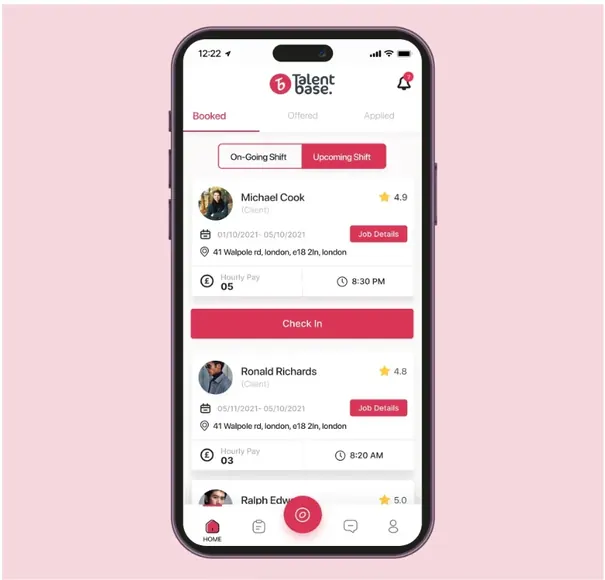
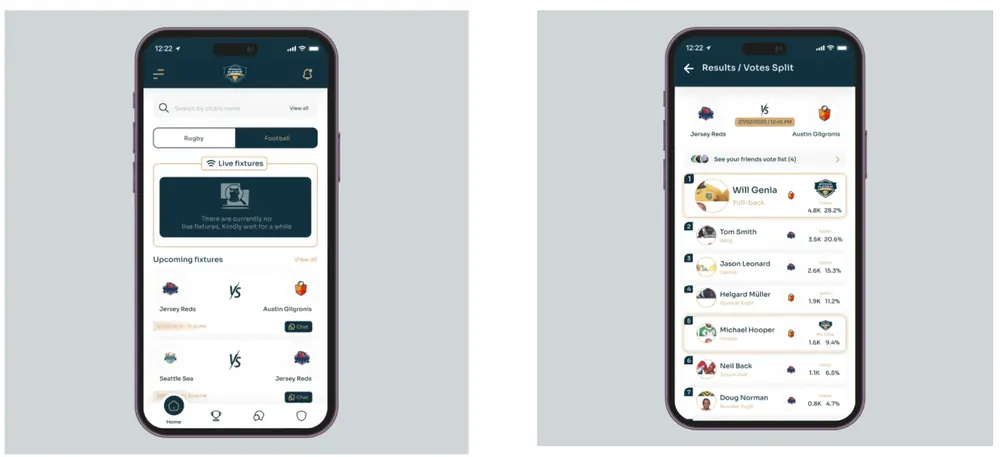
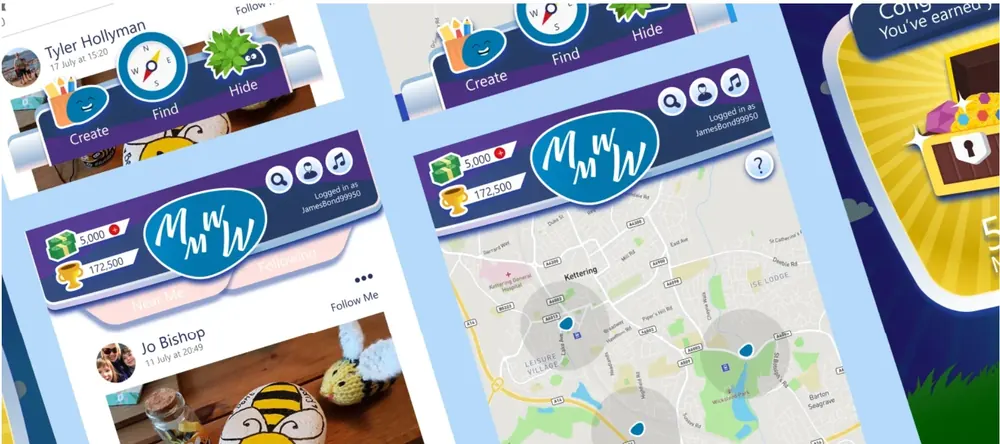
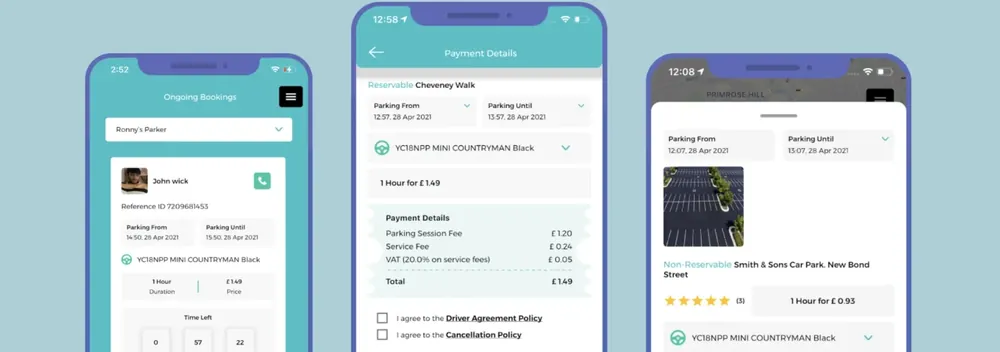
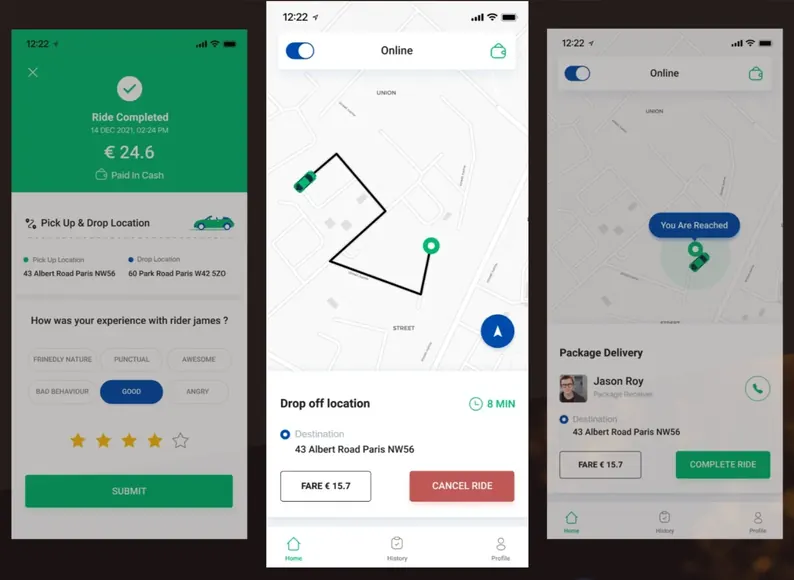
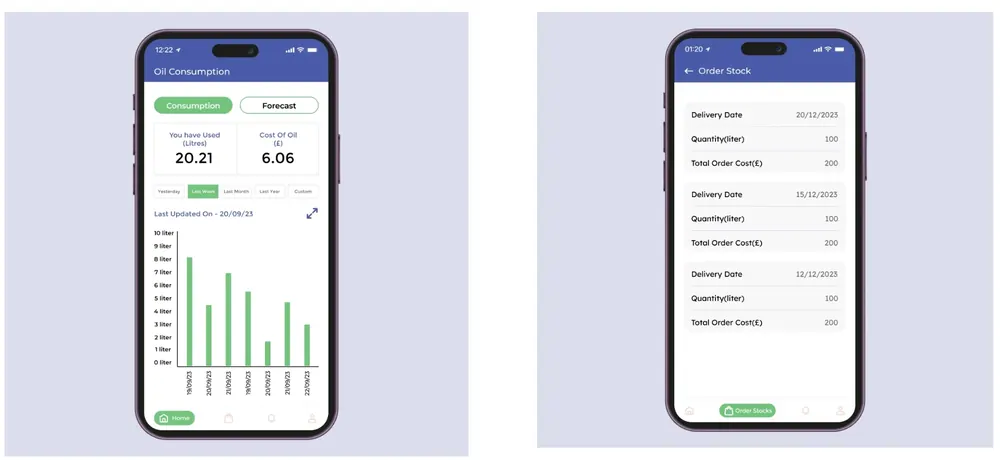
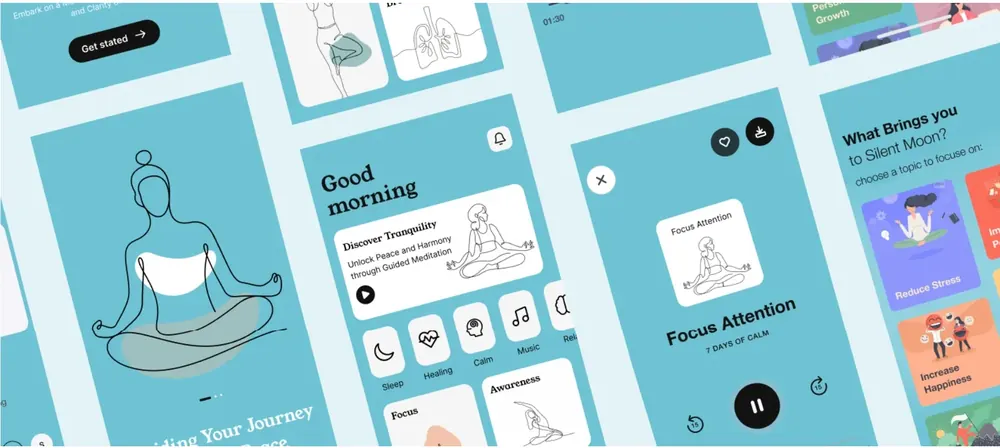
Glance through the many masterpieces that our mobile app developers have crafted using a fine blend of art and technology.

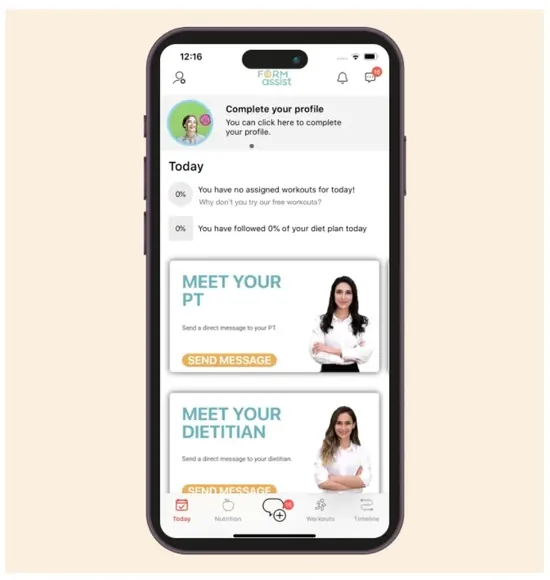
Fitness App 1
Fitness App 2
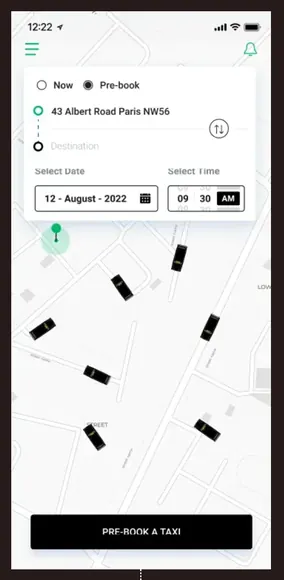
Taxi App 1
Taxi App 2
Event and Video App 1
Event and Video App 2
Food App 1
Food App 2
Build Your Next iOS App with LAD

Partner with LAD to create custom iOS applications using Swift and SwiftUI. From concept and UI/UX design to App Store launch and continuous support, we deliver reliable, scalable apps that users love.

What are iOS Application Development Services?

+

iOS application development services are a solution in which a technical team creates native applications for Apple's ecosystem using Swift, SwiftUI, and platform-specific SDKs. The services cover wireframing and design to backend integration and App Store Connect submission.

Native frameworks (ARKit, WidgetKit, and Core Location) give apps access to device hardware without relying on cross-platform wrappers. UK startups that invest in iOS application development get software tuned for iPhone rather than a generic build retrofitted to fit Apple's ecosystem.


What Industries Benefit Most From iOS Mobile App Development?

+

The industries that benefit most from iOS mobile app development are listed below.

  • Retail and eCommerce: Apple Pay integration and StoreKit-powered checkout flows shorten the path from product discovery to completed purchase.
  • Real Estate: MapKit and ARKit let buyers view property locations and walk through virtual staging from an iPhone.
  • Travel and Hospitality: Push notifications and Wallet integration keep travellers updated on bookings, boarding passes, and itinerary changes in real time.
  • Logistics and Supply Chain: Core Location and background tracking give fleet managers accurate shipment visibility in delivery routes.
  • Manufacturing: Core Bluetooth and sensor integration connect iPhones and iPads to factory floor equipment for real-time monitoring.
  • Legal Services: Face ID authentication and encrypted document storage protect sensitive case files accessed through mobile devices.
  • Insurance: Vision framework and camera-based document scanning speed up claims processing without requiring an in-person visit.
  • Automotive: CarPlay integration connects iOS application builds to a vehicle's dashboard, giving drivers native access to navigation, media, and diagnostics.

Why Should Businesses Invest in iPhone App Development?

+

Businesses should invest in iPhone app development because iOS users show higher in-app spending and engagement rates. Apple's hardware ecosystem is a single build that performs on every supported device, reducing the testing that Android demands.

Features (Apple Pay, Face ID, and Sign in) with Apple lower friction at checkout and login. Access to a global audience of over 1.5 billion active iPhones positions a business within one of the most profitable segments of the App Store economy.

Why Is iOS Considered One of the Most Secure Mobile Platforms?

+

iOS is considered one of the most secure mobile platforms because it relies on a secure boot chain, Face ID and Touch ID biometrics, app sandboxing, and a Secure Enclave coprocessor for sensitive data.

The Secure Enclave isolates cryptographic keys and payment credentials from the main kernel, present on every iPhone since 2013, while mandatory code signing blocks unverified software from running.

What Programming Languages are used for iOS App Development?

+

The programming languages used for iOS app development are listed below.

  • Swift: Apple's compiled language for iOS, using type inference and ARC memory management to build native apps.
  • Objective-C: Apple's original iOS language, still present in legacy codebases and frameworks that predate Swift's 2014 introduction.
  • Dart: Google's compiled language powering Flutter apps, sharing one codebase in iOS and Android through its own rendering engine.
  • JavaScript: A scripting language used in React Native builds, compiling components into native UIKit elements through a JavaScript bridge.
  • TypeScript: A typed superset of JavaScript, reducing runtime errors in large-scale React Native and Ionic iOS projects.
  • C++: A low-level systems language used in performance-critical iOS modules, in game engines and audio layers.
  • Ruby: A scripting language used in iOS tooling, running Fastlane automation scripts for testing.
  • Python: A high-level scripting language used in iOS CI/CD pipelines and backend services that feed data into native Swift interfaces.
  • C#: Microsoft's language powering Xamarin.iOS builds, compiling into native ARM binaries for App Store submission.

How long does it take to develop an iOS Application?

+

It takes 3 to 9 months to develop an iOS application, depending on feature scope and third-party integrations. Simple single-feature apps with basic SwiftUI screens close around the 3-month mark, while builds involving custom APIs, StoreKit, or HealthKit push toward 9 months.

What Factors Influence iOS App Development Timelines?

+

The factors that influence iOS app development timelines are listed below.

  • App Complexity: Builds involving ARKit, HealthKit, or multi-role user flows take longer than single-feature SwiftUI apps.
  • Third-Party API Integration: Connecting to external payment gateways or CRM systems adds authentication setup and compatibility testing to the schedule.
  • Device and OS Compatibility: Supporting older iOS versions requires regression testing in multiple Xcode simulators and physical devices.
  • App Store Review Process: Privacy manifest rejections or compliance issues push resubmission timelines from 24 hours to 2 weeks.
  • UI/UX Design Iterations: Repeated revisions between Figma prototypes and SwiftUI implementation delay handoff and push back core development work.

What Features can be included in a Custom iOS Application?

+

The features that can be included in a custom iOS application are listed below.

  • Push Notifications: Apple Push Notification Service delivers real-time alerts, live activity updates, and time-sensitive messages directly to a user's lock screen.
  • In-App Purchases: StoreKit 2 handles subscriptions, one-time purchases, and consumable product transactions without exposing card details to the app itself.
  • Biometric Authentication: Face ID and Touch ID authenticate users through the Secure Enclave, keeping login credentials off the app's own servers.
  • Offline Mode: SwiftData and Core Data store critical user data locally, keeping core app functions accessible without an active network connection.

iOS application development services are a solution in which a technical team creates native applications for Apple's ecosystem using Swift, SwiftUI, and platform-specific SDKs. The services cover wireframing and design to backend integration and App Store Connect submission.

Native frameworks (ARKit, WidgetKit, and Core Location) give apps access to device hardware without relying on cross-platform wrappers. UK startups that invest in iOS application development get software tuned for iPhone rather than a generic build retrofitted to fit Apple's ecosystem.

The industries that benefit most from iOS mobile app development are listed below.

  • Retail and eCommerce: Apple Pay integration and StoreKit-powered checkout flows shorten the path from product discovery to completed purchase.
  • Real Estate: MapKit and ARKit let buyers view property locations and walk through virtual staging from an iPhone.
  • Travel and Hospitality: Push notifications and Wallet integration keep travellers updated on bookings, boarding passes, and itinerary changes in real time.
  • Logistics and Supply Chain: Core Location and background tracking give fleet managers accurate shipment visibility in delivery routes.
  • Manufacturing: Core Bluetooth and sensor integration connect iPhones and iPads to factory floor equipment for real-time monitoring.
  • Legal Services: Face ID authentication and encrypted document storage protect sensitive case files accessed through mobile devices.
  • Insurance: Vision framework and camera-based document scanning speed up claims processing without requiring an in-person visit.
  • Automotive: CarPlay integration connects iOS application builds to a vehicle's dashboard, giving drivers native access to navigation, media, and diagnostics.

Businesses should invest in iPhone app development because iOS users show higher in-app spending and engagement rates. Apple's hardware ecosystem is a single build that performs on every supported device, reducing the testing that Android demands.

Features (Apple Pay, Face ID, and Sign in) with Apple lower friction at checkout and login. Access to a global audience of over 1.5 billion active iPhones positions a business within one of the most profitable segments of the App Store economy.

iOS is considered one of the most secure mobile platforms because it relies on a secure boot chain, Face ID and Touch ID biometrics, app sandboxing, and a Secure Enclave coprocessor for sensitive data.

The Secure Enclave isolates cryptographic keys and payment credentials from the main kernel, present on every iPhone since 2013, while mandatory code signing blocks unverified software from running.

The programming languages used for iOS app development are listed below.

  • Swift: Apple's compiled language for iOS, using type inference and ARC memory management to build native apps.
  • Objective-C: Apple's original iOS language, still present in legacy codebases and frameworks that predate Swift's 2014 introduction.
  • Dart: Google's compiled language powering Flutter apps, sharing one codebase in iOS and Android through its own rendering engine.
  • JavaScript: A scripting language used in React Native builds, compiling components into native UIKit elements through a JavaScript bridge.
  • TypeScript: A typed superset of JavaScript, reducing runtime errors in large-scale React Native and Ionic iOS projects.
  • C++: A low-level systems language used in performance-critical iOS modules, in game engines and audio layers.
  • Ruby: A scripting language used in iOS tooling, running Fastlane automation scripts for testing.
  • Python: A high-level scripting language used in iOS CI/CD pipelines and backend services that feed data into native Swift interfaces.
  • C#: Microsoft's language powering Xamarin.iOS builds, compiling into native ARM binaries for App Store submission.

It takes 3 to 9 months to develop an iOS application, depending on feature scope and third-party integrations. Simple single-feature apps with basic SwiftUI screens close around the 3-month mark, while builds involving custom APIs, StoreKit, or HealthKit push toward 9 months.

The factors that influence iOS app development timelines are listed below.

  • App Complexity: Builds involving ARKit, HealthKit, or multi-role user flows take longer than single-feature SwiftUI apps.
  • Third-Party API Integration: Connecting to external payment gateways or CRM systems adds authentication setup and compatibility testing to the schedule.
  • Device and OS Compatibility: Supporting older iOS versions requires regression testing in multiple Xcode simulators and physical devices.
  • App Store Review Process: Privacy manifest rejections or compliance issues push resubmission timelines from 24 hours to 2 weeks.
  • UI/UX Design Iterations: Repeated revisions between Figma prototypes and SwiftUI implementation delay handoff and push back core development work.

The features that can be included in a custom iOS application are listed below.

  • Push Notifications: Apple Push Notification Service delivers real-time alerts, live activity updates, and time-sensitive messages directly to a user's lock screen.
  • In-App Purchases: StoreKit 2 handles subscriptions, one-time purchases, and consumable product transactions without exposing card details to the app itself.
  • Biometric Authentication: Face ID and Touch ID authenticate users through the Secure Enclave, keeping login credentials off the app's own servers.
  • Offline Mode: SwiftData and Core Data store critical user data locally, keeping core app functions accessible without an active network connection.
Let's Discuss Your Idea

Take The First Step Forward

Talk to our support team. Give us a call. Drop us an email. Connect socially. Or write to us through the form below.

182-184 High Street North, East Ham, London, United Kingdom, E6 2JA

Fill Up form our team will get back to you with in 24 hours