

Our engineering hub draws from the UK's top tech talent specialising in Kotlin and Jetpack Compose, ensuring your mobile project benefits from developers who understand native standards.
Android App Development Company in London
An Android app development company in London is the premier choice for UK business owners looking to build high-performance mobile software. LAD stands by delivering custom user experiences, clean native code, and smooth platform integrations.
We help brands launch products by providing full-cycle UI design, cloud database sync, and cross-platform coding, ensuring our app development services drive growth and top performance in the expanding fintech, healthcare, and e-commerce sectors.











Android App Development Reviews
Trusted by 250+ global brands. Explore verified reviews across our specialized tech ecosystems.


Excellent communication, professionalism, and responsiveness throughout the project. Their commitment to delivering outstanding results made them a reliable development partner.Nia Lewis
Director, My Fit Month Ltd


Demonstrated outstanding expertise and professionalism while delivering top-notch results. A trusted partner for high-quality app development services.
Danny ThomasDigital Operations Manager, NGE Booking


Strong project management and timely delivery ensured a successful outcome. Their professionalism and reliability make them a dependable development partner.
Alex HobernManaging Director, Hop


Delivered all project requirements within the agreed timeline with dedication and efficiency. Their commitment and timely execution contributed to a successful project outcome.
Micheal HarrisUnify London Taxis Limited
Our Android Application Development Services
Our Android application development services are a specialised technology solution that delivers native structure, legacy codebase refactoring, and continuous lifecycle optimisation across the entire Android and smart device ecosystem.
Custom Mobile Application Development
We build custom native apps using Kotlin and Android Studio to ensure high performance and full access to hardware features.
App Modernisation
We update legacy Java codebases to Kotlin and integrate modern Jetpack libraries to improve application speed and security.
Game Development
Our team creates high-quality mobile games using the Unity engine, optimising frame rates and graphics performance for Android GPUs.
App Maintenance and Support
We handle ongoing Google Play Store updates, patch software bugs, and ensure API compatibility with the latest Android OS versions.
Android App Consultation
Our consultants review your technical roadmap to select the right Android SDKs and software architecture for your project.
Smart Devices Development
We build specialised software interfaces for the broader ecosystem, including Wear OS smartwatches, Android TV, and connected IoT devices.
Which Type of Android App Is Right for Your Business?
The type of Android app that is right for your business depends on industry goals, target audience, and requirements. Selecting the correct category allows you to leverage specific Android SDK features to solve user needs efficiently.
Business Apps
Business apps simplify asset management, CRM, and identity access management. Native integration simplifies workflows via business apps using Enterprise Management APIs to boost productivity.
Educational Apps
Educational apps optimise LMS integration, SCORM content delivery, and gamification modules. Deploying the custom educational apps provides classroom access using Android Jetpack libraries for offline learning.
Entertainment Apps
Entertainment apps handle DRM content protection, real-time HLS video streaming, and dynamic audio rendering. Optimising media delivery within entertainment apps secures digital assets via Android Media3 ExoPlayer configurations.
Finance Apps
Finance apps protect biometric authentication, PCI-DSS compliance, and automated ledger syncing. Launching encrypted finance apps builds consumer trust by isolating cryptographic keys within the Android Keystore system.
Health & Fitness Apps
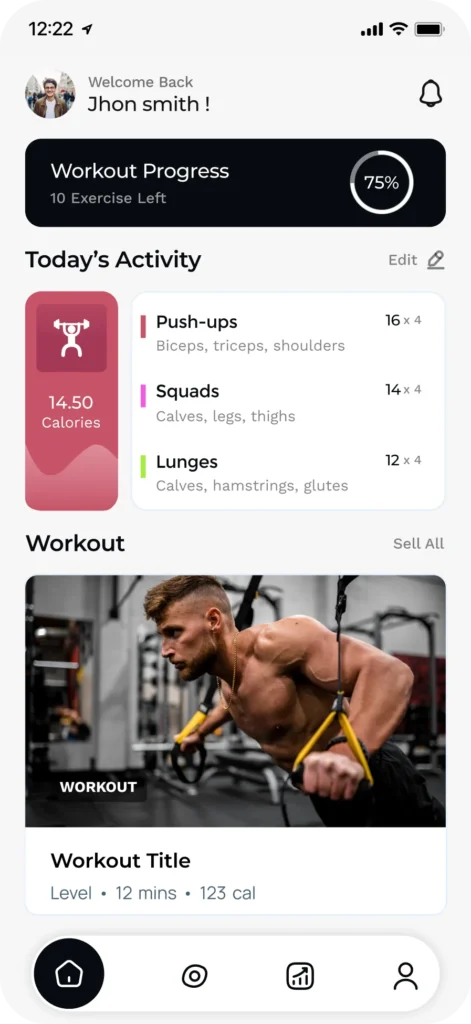
Health and fitness apps automate BLE wearable synchronisation, biometric tracking, and HIPAA-compliant data routing. Engineering customised health and fitness apps makes tracking easier through the native Android Health Connect API.
Music Apps
Music apps coordinate low-latency audio processing, MIDI mapping, and background service playback. Rolling out responsive music apps delivers uninterrupted streaming using the Android AAudio API and Oboe libraries.
Social Networking Apps
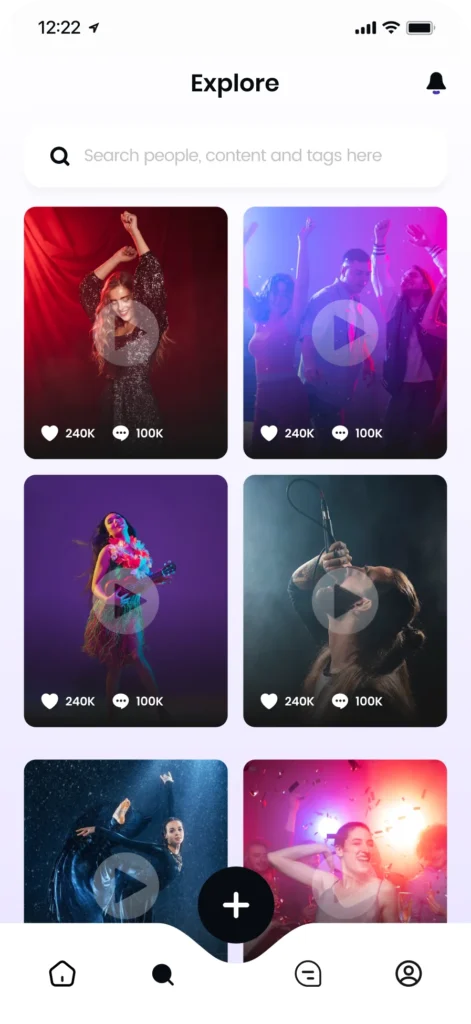
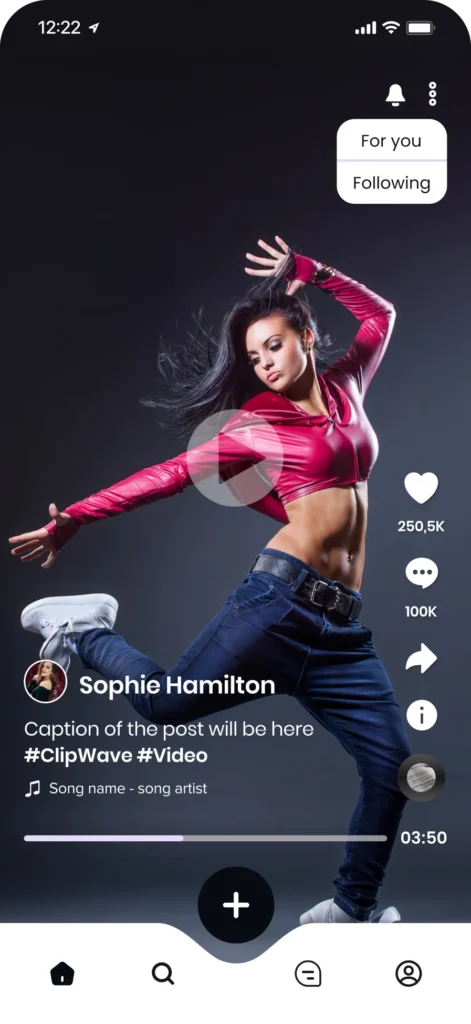
Social networking apps run real-time WebSocket communication, local SQLite caching, and media compression. Scaling modern social networking apps guarantees interaction via Firebase Realtime Database and WorkManager tasks.
Lifestyle Apps
Lifestyle apps trigger contextual geofencing, recommendation engines, and augmented reality overlays. The targeted lifestyle apps increase consumer conversion rates by using Google Play Services location APIs.
Utility Apps
Utility apps manage local file systems, background worker routines, and hardware peripheral access. Developing lightweight utility apps drives high retention of native Android system services for optimal memory allocation.
On-demand Apps
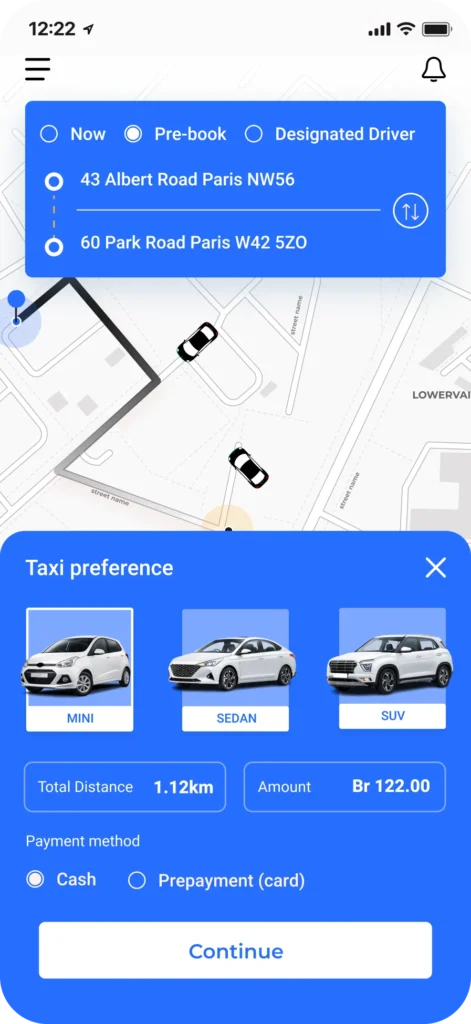
On-demand apps scale real-time GPS tracking, automated dispatch routing, and push notifications. Operating fast on-demand apps coordinate field logistics smoothly with the Google Maps SDK and high-priority FCM payloads.
Our Android App Development Process
Our Android app development process guides your project from the first idea to the final launch on the Google Play Store. We use a clear step-by-step workflow that connects coding and quality checks to build mobile software for your business.
Technologies We Use for Android App Development
The technologies we use for Android app development are programming languages, frameworks, and cloud platforms that enable us to build secure mobile apps. We combine databases, backend APIs, and design tools to ensure your product is working on all devices.
Frontend
Backend
Platforms
Database
UI/UX
React
React is a JavaScript library that uses tiny code blocks and a virtual DOM to update user screens for custom mobile view dashboards that need UI rendering updates.
Why React is Ideal for Android:
React runs hybrid web-view app interfaces well by letting developers build UI parts that render inside native Android boxes efficiently.
Angular
Angular is a TypeScript framework with built-in data syncing and a strict setup tool for enterprise mobile data portals that connect with massive, secure cloud servers.
Why Angular is Ideal for Android:
Angular powers big company web apps inside Android WebView containers, keeping data clean and code easy to manage for large mobile platforms without complex rewrites.
Next.Js
Next.js is a React framework that handles fast page loading automatically and serves mobile commerce layouts that load store catalogues instantly.
Why Next.js is Ideal for Android:
Next.js loads fast, SEO-friendly web screens inside Android hybrid apps, and lowers loading times for mobile shops to boost conversions.
Vue.Js
Vue.js is a lightweight JavaScript framework that uses a DOM to run simple user interfaces on budget Android device hardware without draining critical battery power.
Why Vue.js is Ideal for Android:
Vue.js uses a tiny file size and low memory to keep screens smooth when powering hybrid setups on cheap Android phones with great speed.
Flutter
Flutter is Google's free UI software kit that uses the Dart language to draw graphics on the screen without using slow default widgets to ensure premium pixel control.
Why Flutter is Ideal for Android:
Flutter skips standard phone pieces to show custom, identical layouts in different Android software versions at a smooth 60 to 120 FPS with native performance.
Kotlin
Kotlin is a modern coding language with built-in error safety and short, simple code patterns built for Android apps to update native software engineering flows.
Why Kotlin is Ideal for Android:
Kotlin links directly with Jetpack Compose to cut out extra code, dropping app crashes by an average of 20% on every device.
HTML5
HTML5 is the standard web markup language used to build page layouts and save local text files inside hybrid mobile application views for offline data caching support.
Why HTML5 is Ideal for Android:
HTML5 creates the core layout for hybrid mobile apps, letting teams build responsive web views that work on any Android browser engine without missing elements.
CSS3
CSS3 is a design language that controls screen sizes, text fonts, and animations on smartphone display screens by adjusting styles to native view parameters.
Why CSS3 is Ideal for Android:
CSS3 uses grid rules to fit web layouts in all types of Android phone shapes and screen sizes without layout breaks.
Swift
Swift is a fast, safe coding language made by Apple that cleans up memory usage while sharing multiplatform mobile code bases with other cross-platform native software solutions.
Why Swift is Ideal for Android:
Swift acts as the core tech to share background business logic with Android tools using Kotlin Multiplatform setups to lower costs.
Xamarin
Xamarin is a Microsoft tool that changes C# code into native app parts using a shared system runtime to build functional mobile tools for large corporate user networks.
Why Xamarin is Ideal for Android:
Xamarin gives full access to native Android systems, letting DevOps teams reuse old background code while making custom layouts with reliability.
Node.Js
Node.js is a JavaScript runtime that executes server-side code using the Google V8 engine and an asynchronous, non-blocking I/O model.
Why Node.js is Ideal for Android:
Node.js handles over 10,000 concurrent connections, utilising low-latency WebSocket (WS) protocols to drive push notifications and chat feeds inside Android apps.
Python
Python is an interpreted typed language that relies on a massive package manager (PyPI) for data science and deep learning modules.
Why Python is Ideal for Android:
Python connects Machine Learning (ML) models and automated Artificial Intelligence (AI) scripts to an Android frontend using fast REST APIs built with Flask or FastAPI.
Ruby On Rails
Ruby on Rails is a framework built on the Ruby language that organises web servers using a strict three-part code separation rule.
Why Ruby on Rails is Ideal for Android:
Ruby on Rails automates database setup tasks and API data links, which helps teams build functional backends for Android prototypes with less repetitive coding.
PHP
PHP is a server-side scripting language created to handle raw HTTP requests, update database tables, and manage security tokens over the web.
Why PHP is Ideal for Android:
PHP runs on Apache or Nginx servers to sync website user profiles and online MySQL database catalogues straight into a mobile app layout.
Java
Java is an object-oriented programming language that compiles into bytecode to run on an independent Java Virtual Machine (JVM).
Why Java is Ideal for Android:
Java shares the same ecosystem as the native Android Runtime (ART), allowing enterprise backends to process heavy database requests with zero platform compatibility lag.
Django
Django is a Python-based server framework that operates on a Model-Template-Views (MTV) architecture, featuring pre-made security middleware and an automatic admin dashboard.
Why Django is Ideal for Android:
Django protects mobile data by blocking SQL Injection (SQLi) and Cross-Site Scripting (XSS) flaws in the user databases connected to your Android network.
Express.Js
Express.js is a minimal server-side framework for Node.js that functions as a lightweight routing layer for managing basic CRUD data operations.
Why Express.js is Ideal for Android:
Express.js acts as a high-speed data bridge, moving lightweight JSON payloads to an Android screen quickly to keep app loading times under 2 seconds.
Spring Boot
Spring Boot is an open-source Java framework designed to build production-grade, standalone microservices that use Inversion of Control (IoC) and configuration tools.
Why Spring Boot is Ideal for Android:
Spring Boot creates heavy-duty cloud infrastructures that scale via Docker containers to support active Android app requests at the same time.
React Native
React Native is an open-source framework by Meta that compiles JavaScript and React code into native components using a JavaScript bridge or the newer JavaScript Interface (JSI).
Why React Native is Ideal for Android:
React Native allows you to write a single codebase that renders native Android OEM widgets, delivering performance at 60 FPS while cutting the timelines by nearly 50%.
Android
Android is a Linux-based OS managed by Google that executes compiled apps inside a secure Android Runtime (ART) environment.
Why Android is Ideal for Android:
Android provides direct access to device hardware through the Android SDK, ensuring total app compatibility and instant support for newly released OS features.
iOS
iOS is a mobile OS built by Apple that runs on custom hardware architectures using sandboxed app security and the high-performance Metal graphics API.
Why iOS is Ideal for Android:
iOS serves as the target ecosystem that lets teams share core backend rules and data transfer models with Android devices when configuring systems.
Flutter
Flutter is Google's development kit that compiles Dart code into native machine code using the hardware-accelerated Impeller graphics engine to bypass platform wrappers.
Why Flutter is Ideal for Android:
Flutter draws every pixel onto the screen layout, ensuring visual in all Android OS versions while maintaining a rendering speed of 60 to 120 FPS on device displays.
MongoDB
MongoDB is a non-relational document database that stores unstructured data in flexible, schemaless Binary JSON (BSON) formats.
Why MongoDB is Ideal for Android:
MongoDB synchronises nested user profiles with mobile frontends using lightweight JSON data streams, removing the need for slow relational data mapping layers.
MySQL
MySQL is a Relational Database Management System (RDBMS) that organises data tables using strict SQL schemas and transactional data safety.
Why MySQL is Ideal for Android:
MySQL serves as a cloud database layer that handles heavy relational data queries from Android devices over secure web server connections.
Firebase
MySQL is a Relational Database Management System (RDBMS) that organises data tables using strict SQL schemas and transactional data safety.
Why MySQL is Ideal for Android:
MySQL serves as a cloud database layer that handles heavy relational data queries from Android devices over secure web server connections.
PostgreSQL
PostgreSQL is an open-source object-relational database system (ORDBMS) known for structural reliability, complex queries, and high concurrency handling.
Why PostgreSQL is Ideal for Android:
PostgreSQL handles complex geospatial tracking and massive data sets on the server side, serving accurate location coordinates to Android mapping apps with zero data errors.
SQLite
SQLite is a serverless database engine that stores data inside a single, local file container on the device hardware.
Why SQLite is Ideal for Android:
SQLite comes built into the Android OS architecture, allowing apps to save local user settings, offline app progress, and secure cached data without needing an internet connection.
Oracle
Oracle is an enterprise database system for massive corporate data storage, strict encryption, and grid computing.
Why Oracle is Ideal for Android:
Oracle secures giant bank databases and corporate record systems, safely passing encrypted transaction logs to corporate Android applications through protected server endpoints.
Adobe XD
Adobe XD features Repeat Grid components, interactive voice prototyping tools, and automated Creative Cloud (CC) assets.
Why Adobe XD is Ideal for Android:
Adobe XD generates exact screen layouts using native Material Design UI kits, allowing designers to preview layouts on actual Android device hardware via live USB connections.
Sketch
Sketch is a graphics editor built with an isolated plugin ecosystem, reusable Smart Components, and canvas grids optimised for digital interface layouts.
Why Sketch is Ideal for Android:
Sketch exports design assets at exact 1x, 2x, and 3x densities, matching the display and screen resolution configurations required in smartphone displays.
Figma
Figma is a cloud-based graphics tool running on a multiplayer engine with live prototyping links and Auto Layout constraints.
Why Figma is Ideal for Android:
Figma bridges the gap between UI design and Android development by providing instant CSS and XML styling code, enabling developers to copy layouts into native Android code blocks.
InVision
InVision is a prototyping whiteboarding platform designed to turn static interface layers into clickable screens with gesture triggers and dynamic transition flows.
Why InVision is Ideal for Android:
InVision simulates mobile animations (swiping, tapping, and scrolling), letting product teams test mobile user flows and layout logic before writing code.
Zeplin
Zeplin is a design handoff and workspace that extracts colour codes, asset files, and spacing dimensions from visual mockups.
Why Zeplin is Ideal for Android:
Zeplin translates visual design elements into Density-independent Pixels (DP) dimensions and web-ready assets, reducing layout translation errors when building user interfaces in Android Studio.
Why Choose LAD for Android App Development in London?
The reasons to choose LAD for Android app development in London are listed below.
We handle the submission pipeline, navigating Google Play Console policies, target API requirements, and privacy updates to guarantee a successful app launch.
Our quality assurance pipeline combines automated unit testing with real-device testing across varied screen sizes, catching performance regressions before the software reaches your users.
We break development down into bi-weekly sprints and continuous integration cycles, giving you full visibility into working builds to adapt to market feedback.
Our team manages every phase of the software lifecycle, transforming raw product concepts into secure backend architectures, custom user interfaces, and fully optimised mobile apps.
We provide post-launch maintenance packages that include server monitoring, OS compatibility updates for new Android versions, and regular security patches to keep your app running smoothly.
Our Android App Development Projects
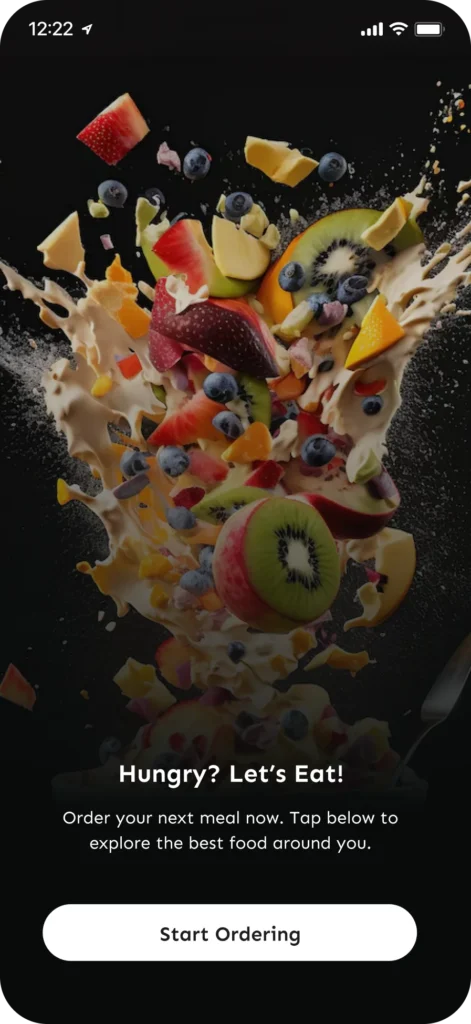
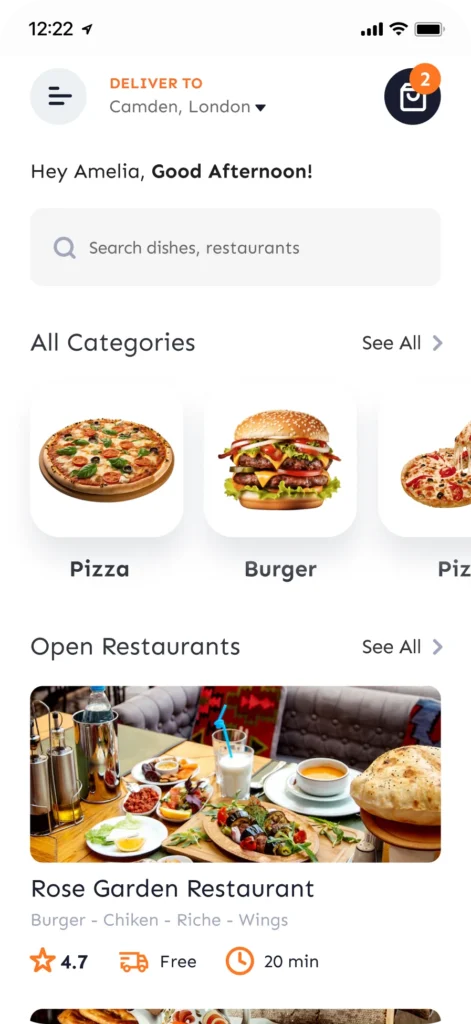
Here is a showcase of the custom Android applications we have created from scratch. Each project represents a design to solve a real-world business challenge and optimise user workflows.


Ready to Launch Your Android App?
From concept and UI/UX design to development, testing, and Google Play deployment, our Android app specialists deliver custom solutions built for performance, growth, and user engagement.
What are Android App Development Services?
Android app development services are a process that converts complex logic into source code engineered for the Google mobile ecosystem. Software engineers write native apps using Kotlin or Java to compile binaries that run inside the hardware-accelerated Android Runtime (ART) environment. Our team delivers custom Android app development services to maximise performance on any mobile device by building layouts with Jetpack Compose and linking remote server infrastructures through secure REST APIs.
Why is an Android App Beneficial for Businesses?
An Android app is beneficial for businesses because it captures an 81% share of the global smartphone market to maximise customer reach. The massive footprint shows brand loyalty and revenue through targeted push notifications and frictionless in-app payment pipelines. Launching a native app unlocks the benefits Android app for businesses by securing an edge in UK commerce.
How Much Does It Cost to Develop an Android App?
It costs £15,000 to £150,000 to develop an Android app, depending on the complexity, design depth, and platform architecture required. A basic prototype or single-workflow Minimum Viable Product (MVP) starts at the lower end, while feature-rich enterprise platforms with secure cloud backends land at the higher tier. Calculating the app development cost requires upfront expenses with long-term upkeep and the target OS when budgeting for your project.
What Factors Affect Android App Development Pricing?
The factors affecting Android app development pricing are listed below.
- Project Scope: Screen count and user workflows determine the 200 to 500 total development hours. A 20+ screen layout requires more time than a 3-screen minimal product.
- App Complexity: Geolocation APIs and data encryption increase difficulty by 40%. Running background services requires more source code than local storage setups.
- Third-Party Integrations: Connecting REST APIs for 3 payment gateways or OAuth logins adds extra security layers. Linking 2 external software systems expands the backend server architecture.
- Design Customisation: Creating 15 bespoke user interfaces and custom assets requires deep UI/UX prototyping. Material Design templates lower costs by 30% through pre-built native components.
- Team Expertise: Hiring 2 Kotlin developers costs more due to specialised coding skills. Experienced teams prevent bugs by writing clean source code.
- Quality Assurance: Testing the app in 5 different Android OS versions and 10 screen resolutions ensures software stability. Automated bug tracking adds 2 weeks to project timelines.
- Maintenance Support: Post-launch tasks require 10 to 20 hours of monthly upkeep for crash reporting fixes and SDK upgrades. Cloud hosting subscriptions create ongoing operational costs.
What are the Most Popular Android Frameworks and Tools for App Development?
The most popular Android frameworks and tools for app development are listed below.
- Android Studio: The official IDE built by Google that code completion and uses the plain text filename “build.gradle.kts” to compile app packages.
- Jetpack Compose: Android's native UI toolkit designed to build interfaces using modern declarative Kotlin blocks of setContent { Text("Hello") }.
- Flutter: Google’s cross-platform UI framework that builds compiled apps for multiple platforms using Dart script, starting with void main() => runApp(MyApp());.
- React Native: A popular framework created by Meta that lets software teams create apps using JavaScript components that begin with export default function App().
- Kotlin Multiplatform: An enterprise SDK that allows development teams to share logic using a single Kotlin directory structure via commonMain/src/ modules.
- Firebase: A backend-as-a-service platform that handles push notifications and database updates using simple JSON data payloads formatted as {"title": "Notification"}.
- Gradle: An automated build system that manages project dependencies using Groovy configuration scripts containing implementation(libs.retrofit).
- Fastlane: An open-source automation tool that handles app deployment and store releases using Ruby automation files triggered by the lane :beta do command.
- Retrofit: A type-safe HTTP client library used to download web data by mapping REST APIs to Java interfaces using request annotations of @GET("users").
- Room Database: A native object-mapping library that secures offline storage using structured local SQL queries inside declarations like @Query("SELECT * FROM user").
Why is an Android App Development Framework Important for Mobile App Development?
An Android app development framework is important for mobile app development because it gives pre-made code structures and APIs, so developers do not have to program basic phone features from scratch.
Using the standard systems makes apps run much faster, fixes bugs easily in different phone models, and keeps data safe, which makes a solid Android app development framework the main tool needed to build working mobile software in the UK.
How long does it take to develop an Android Application?
It takes 3 to 6 months to develop an Android application based on features and system workflows. Basic utility tools require 200 hours of coding, while complex platforms with live tracking and database sync need over 800 hours. Quality testing and automated bug fixing ensure your Android app launches on all phone screens.
Why does Custom Android App Development Take Different Amounts of Time?
Custom Android app development takes different amounts of time because every project requires a unique number of user screens, feature setups, and backend systems. A basic app using standard native components requires very minimal assets, while a complex network with live tracking and 3 payment gateways demands deep database creation. The variance is customised to each Android app delivery date, depending on interface design testing and API link setups.
Can You Build Enterprise Android Applications?
Yes, you can build enterprise Android applications using Kotlin or Java code, design backend API systems, and plan the complete data needed for large-scale mobile projects. Write secure local storage configurations, build automated build scripts, and set up clear user workflows for high-volume systems. Managing complex data encryption, multi-role user access, and cloud sync ensures the enterprise applications maintain top performance in thousands of corporate devices.
Let's Discuss Your Idea
Take The First Step Forward
Talk to our support team. Give us a call. Drop us an email. Connect socially. Or write to us through the form below.
Phone
+44 753 713 2299
Address
182-184 High Street North, East Ham, London, United Kingdom, E6 2JA

Fill Up form our team will get back to you with in 24 hours