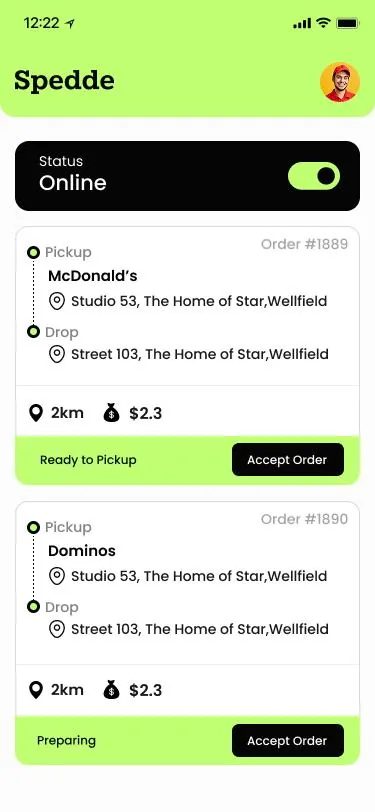
Spedde driver app showing the driver online, with two delivery requests listing pickup, drop-off, distance and fee

Project at a glance

Client
Spedde
Industry
Food delivery and restaurant ordering
Products
Customer app, driver app, restaurant panel, super admin panel
Platforms
iOS (Swift), Android (Kotlin) and web panels
Back end
Laravel, Node.js and MySQL
Payments and maps
Stripe and Google Maps
Delivered by
Intelivita, LAD’s sister company

What is Spedde?

An education consultancy based in Oxford. It advises parents of students in the United Kingdom and overseas on school choice, university preparation and mentoring for children who are struggling at school.

What did Spedde need to solve?

A food order passes through several hands. Customers need straightforward choices, restaurants need control over incoming orders, drivers need clear delivery instructions and administrators need visibility across the platform.

Features of the meditation web app
Challenge How it was solved
Finding the right restaurant takes more than a name Restaurant search, cuisine categories, location-based listings, restaurant details and featured offers
Every order comes with different choices Configurable menu items, custom add-ons, basket editing, promo codes, and delivery or collection
Orders move through several stages Connected order workflows with restaurant acceptance, driver assignment, delivery status updates and push notifications
Drivers need the right information on the move Driver workflows for availability, order requests, pickup and drop-off details, map navigation and delivery completion
The platform needs oversight beyond single orders A super admin panel for onboarding, user management, order tracking, promotions, notifications and commission reporting

Customer app · iOS and Android

Customer app: browse, build and follow an order

Every order follows the same three stages. Customers browse restaurants, build their basket and follow the delivery to the door, all in one mobile app.

  1. Browse

    Find a restaurant

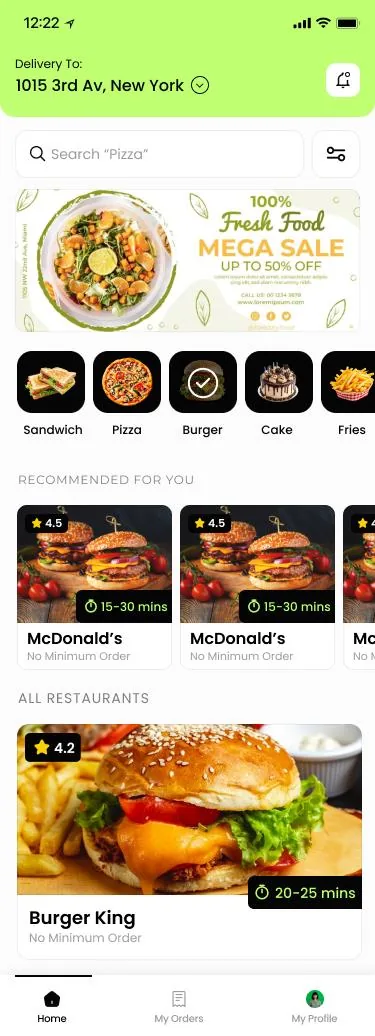
    • Customer home screen with search, cuisine categories, an offer banner and restaurant listings

      Discover restaurants

      Search dishes, cuisines and nearby restaurants.

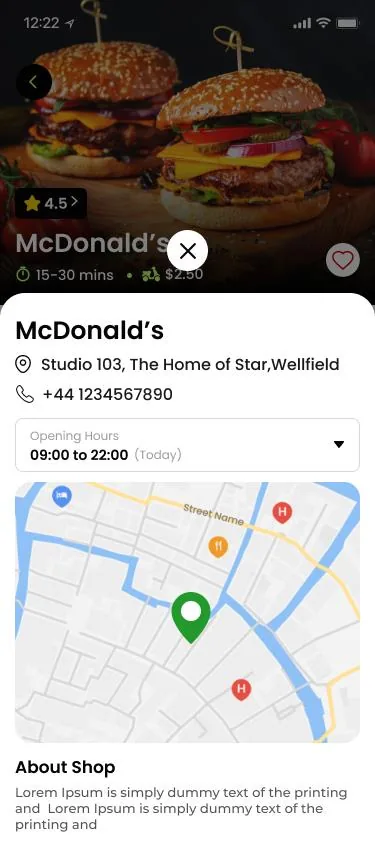
    • Restaurant details screen with rating, delivery time, delivery charge, address, phone, opening hours and a map

      Check the details

      Rating, delivery charge, distance and opening hours.

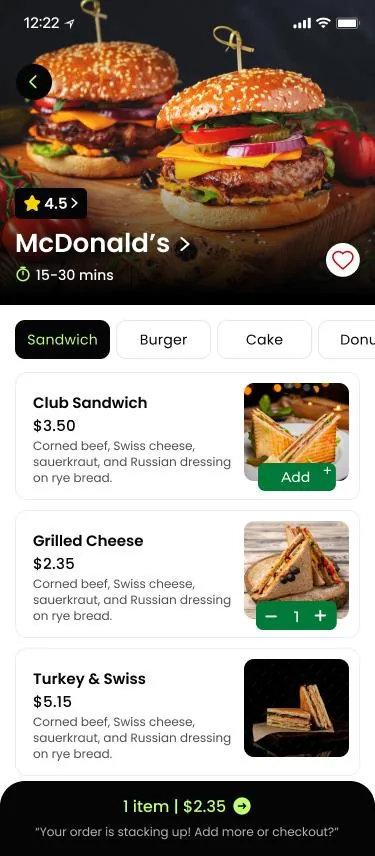
    • Restaurant menu screen with category tabs, dishes with photos, descriptions and prices, and a basket bar

      Explore the menu

      Dishes with photos, descriptions and prices.

  2. Build

    Create the order

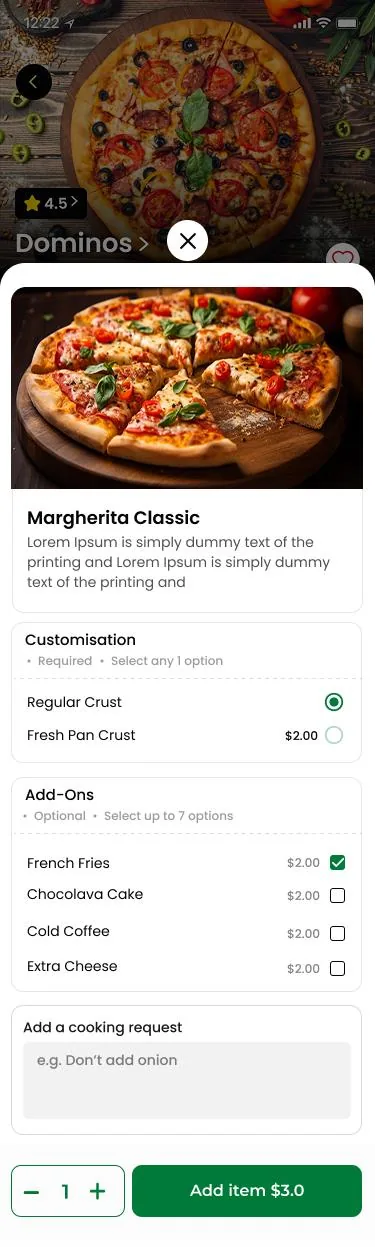
    • Food item screen with a required crust choice, optional add-ons, a cooking request box and a quantity control

      Customise dishes

      Add-ons, quantities and cooking notes.

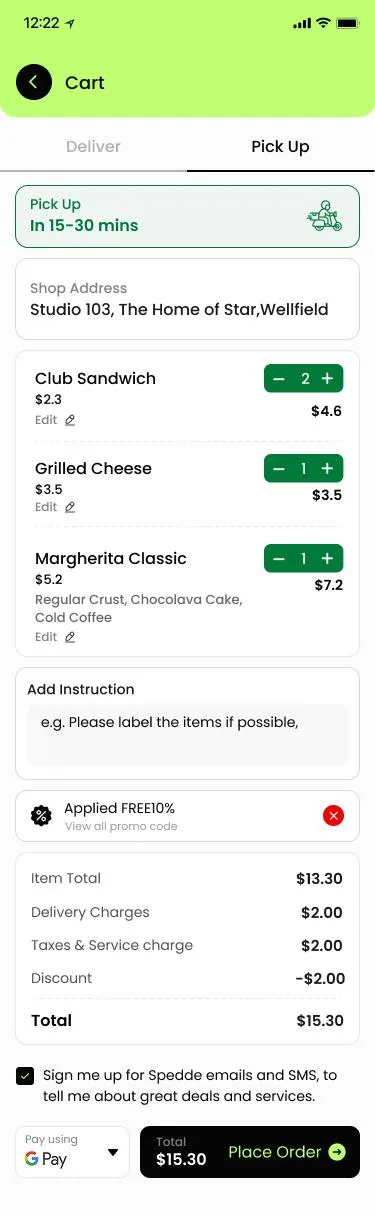
    • Basket and checkout screen with delivery or pick-up tabs, editable items, an applied promo code, order total and payment method

      Check out

      Delivery or collection, promo code and payment.

  3. Follow

    After the order

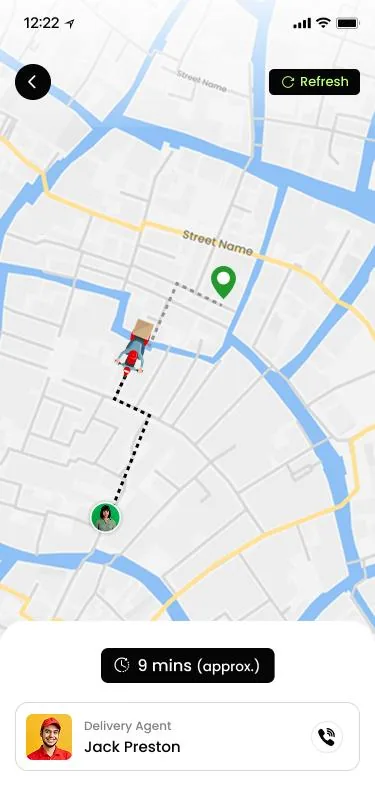
    • Order tracking screen with the driver route on a map, an approximate arrival time and a call button for the driver

      Track the driver

      Live location on a map after dispatch.

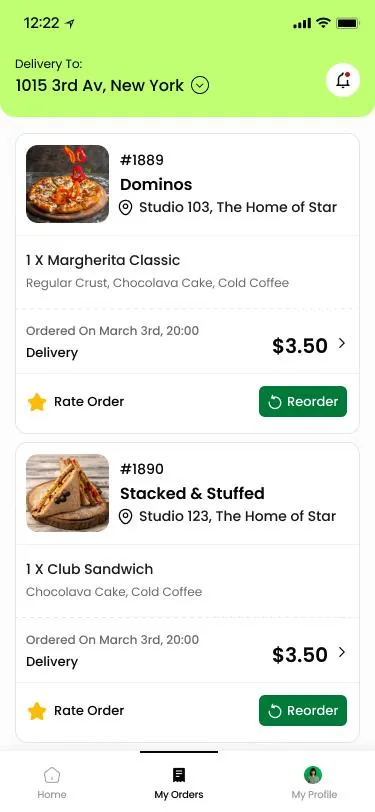
    • Order history screen listing past orders with items, date, price, a rate option and a reorder button

      Reorder

      Repeat a past order or pick single items.

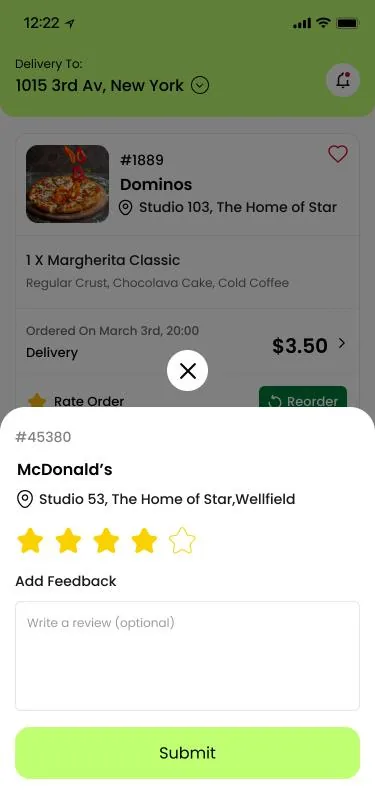
    • Rating sheet with five stars and an optional written review for a completed order

      Rate the order

      Food and delivery rated separately, out of five.

Driver app · iOS and Android

Driver app: accept, navigate and deliver

A separate delivery driver app takes each driver from sign-up to payment, in four stages.

  1. Get ready

    Sign up and go online

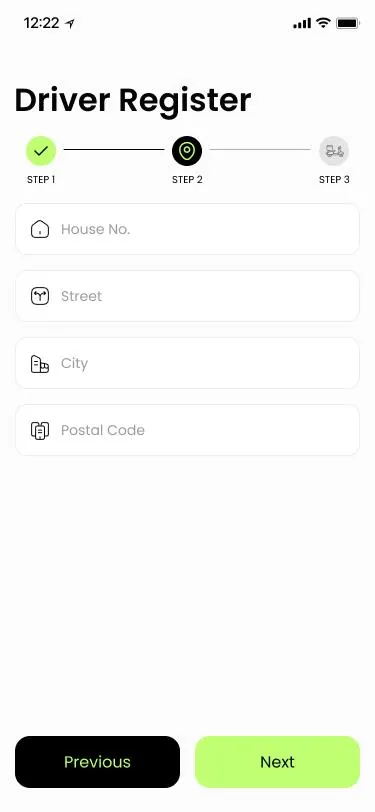
    • Three-step driver registration form asking for house number, street, city and postcode

      Register

      Personal, vehicle and licence details for approval.

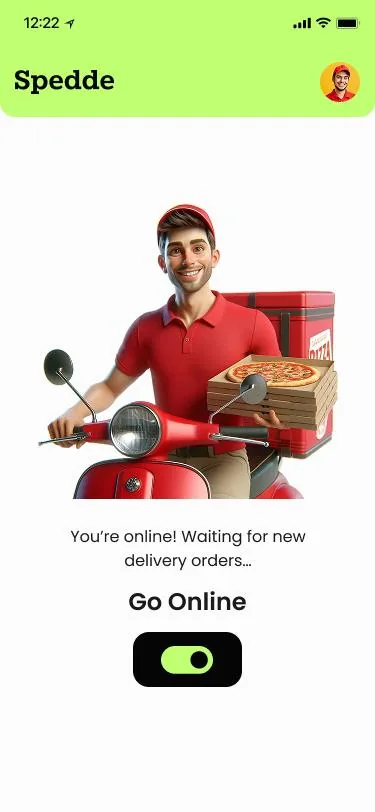
    • Driver home screen with a Go Online toggle and a message that the driver is waiting for orders

      Go online

      Switch on to receive requests.

  2. Accept

    Take an order

    • Incoming requests list showing pickup restaurant, drop-off address, distance, fee and an Accept Order button

      Accept requests

      Pickup, drop-off, distance and fee up front.

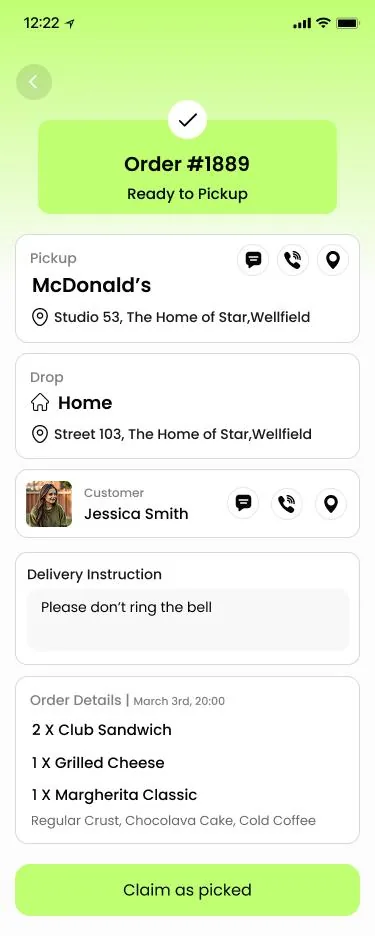
    • Order details screen with pickup and drop-off addresses, customer contact buttons, a delivery instruction and ordered items

      Check the order

      Items, customer contact and delivery notes.

  3. Navigate and deliver

    On the road

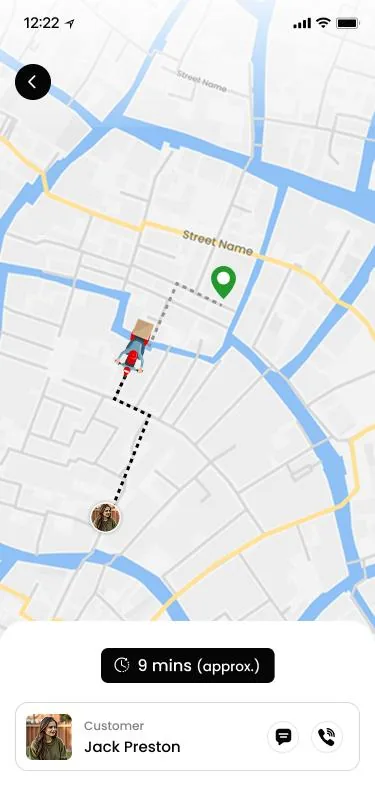
    • Driver map screen with the route to the customer, an approximate time and buttons to message or call the customer

      Navigate

      Route to the door in Google Maps.

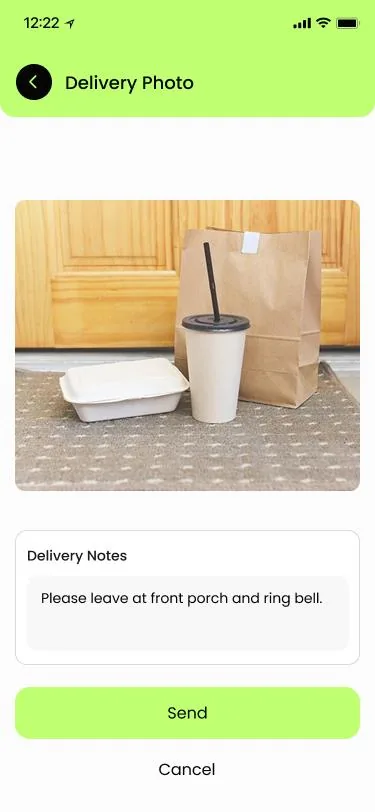
    • Delivery photo screen showing a food order left at a front door, with delivery notes and a Send button

      Confirm delivery

      Picked up, arrived or delivered, with a photo.

  4. Get paid

    Track deliveries and earnings

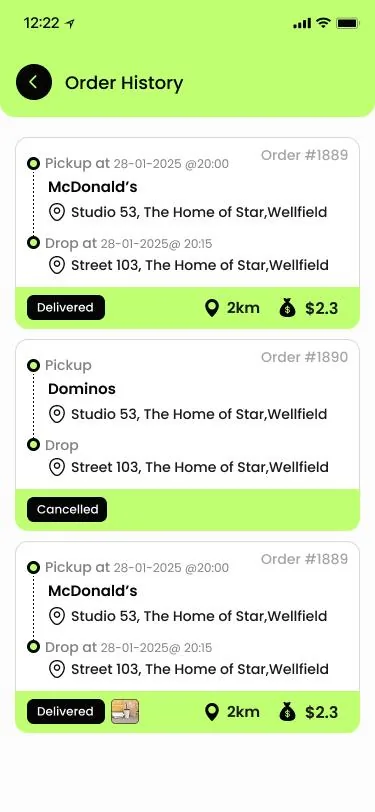
    • Driver order history listing delivered and cancelled orders with pickup and drop-off times, distance and fee

      Delivery history

      Completed and cancelled orders with times.

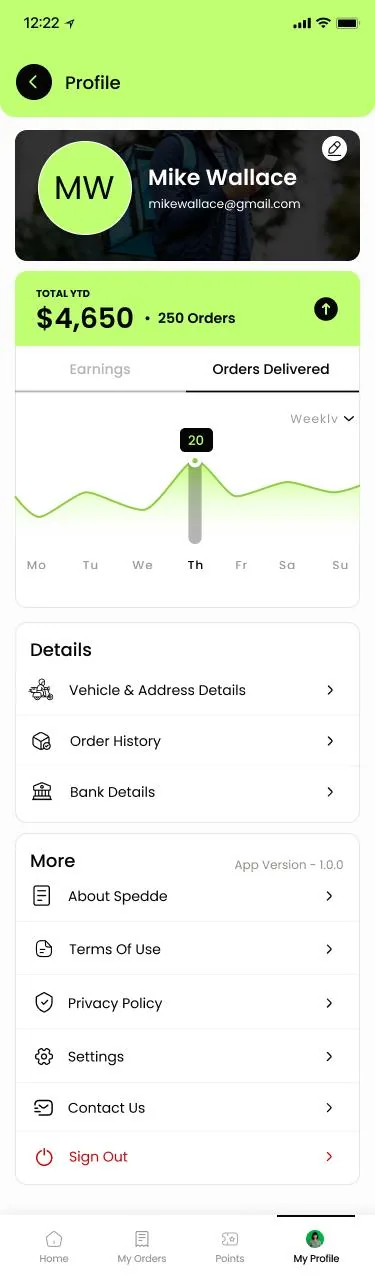
    • Driver profile screen with year-to-date earnings, orders delivered, a weekly chart and account settings

      Earnings

      Monthly earnings and deliveries completed.

Restaurant panel · web

Restaurant panel: manage, prepare and serve

A desktop workspace where restaurant teams handle incoming orders, keep menus up to date, set opening hours and see what sells.

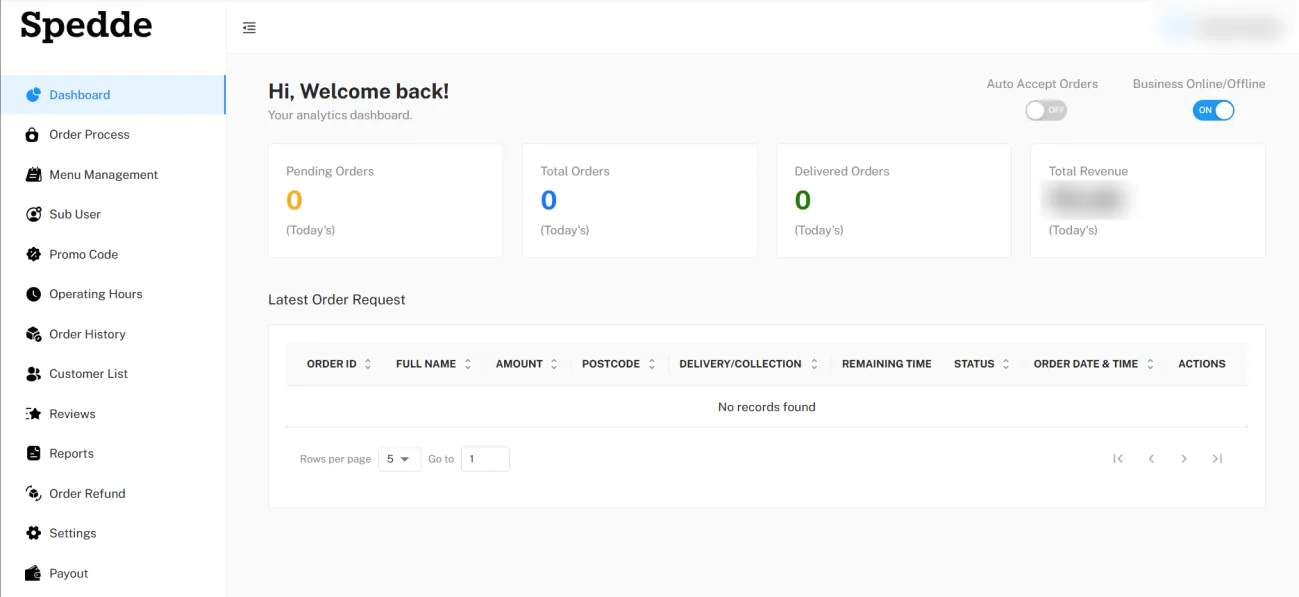
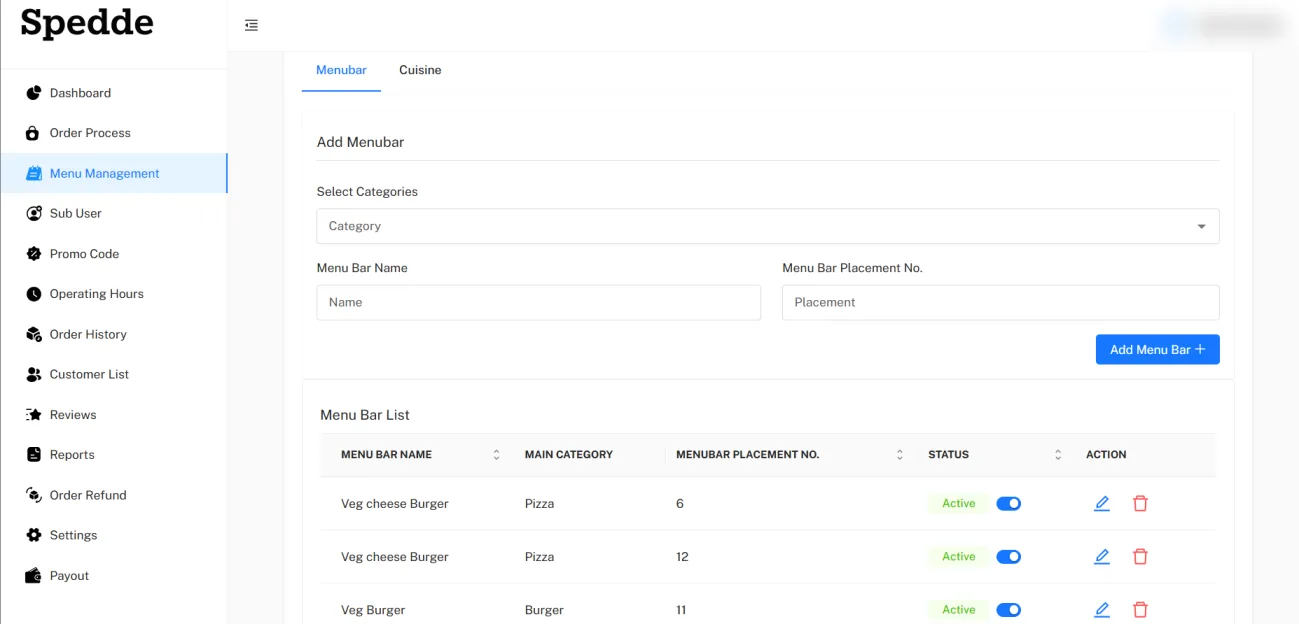
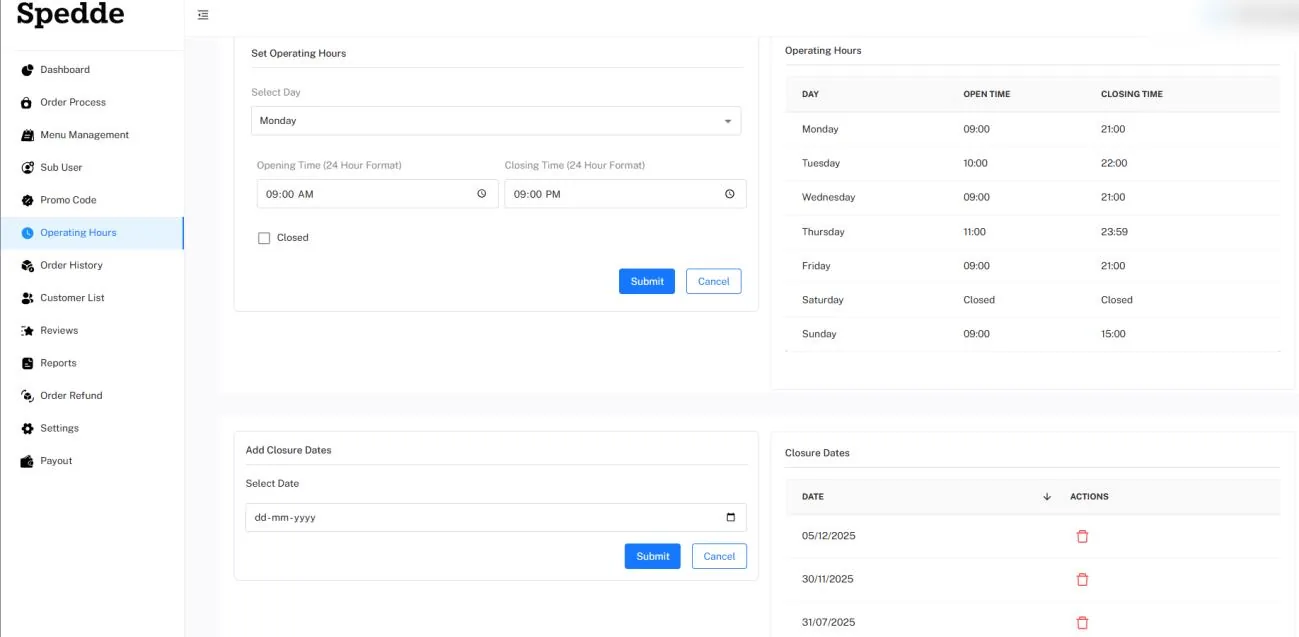
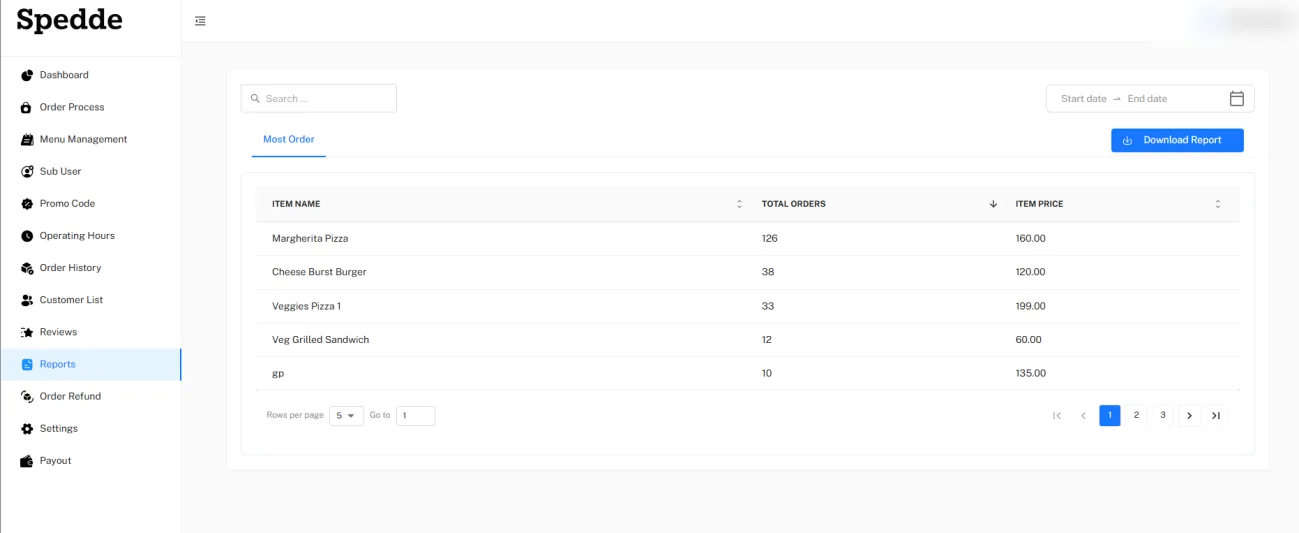
Restaurant dashboard with pending, total and delivered orders, revenue, an auto-accept toggle, an online toggle and the latest order requestsMenu management screen for adding menu sections by category, with a list of sections, placement order and statusOperating hours screen with opening and closing times for each day and a list of closure datesReports screen listing the most ordered items with total orders and item price, a date filter and a download button

Super admin panel · web

Super admin panel: monitor, manage and oversee

A central workspace where Spedde’s administrators approve restaurants and drivers, oversee orders, run promotions and monitor commissions.

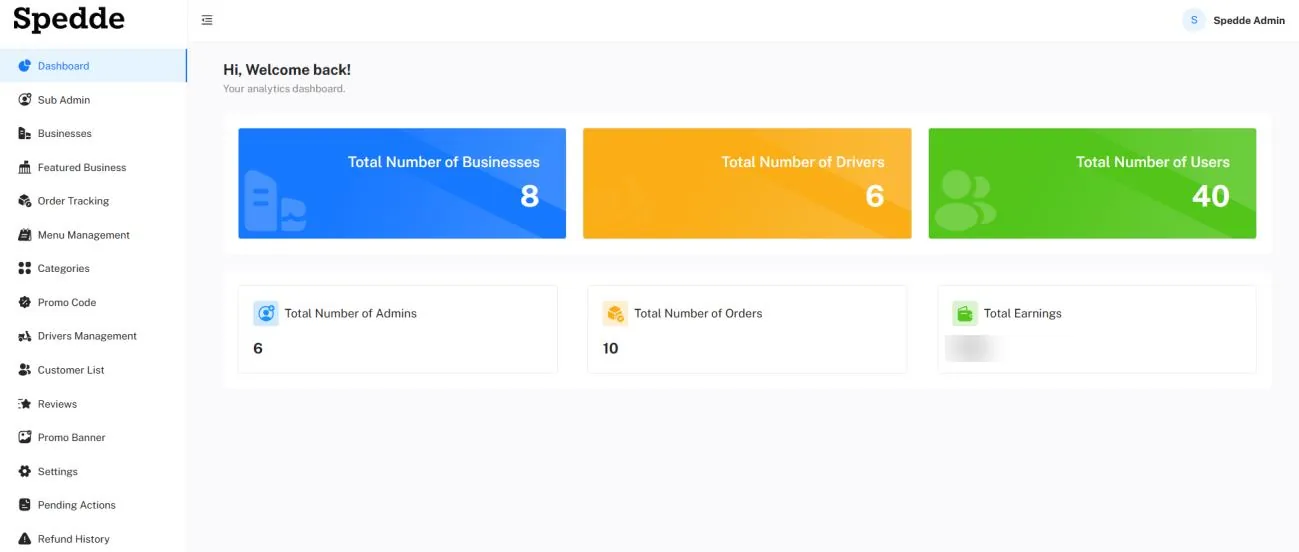
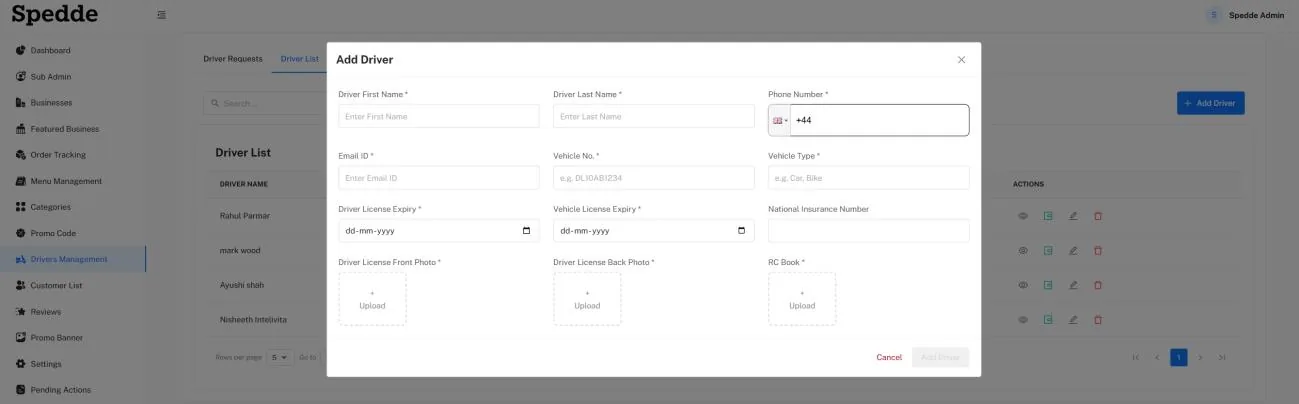
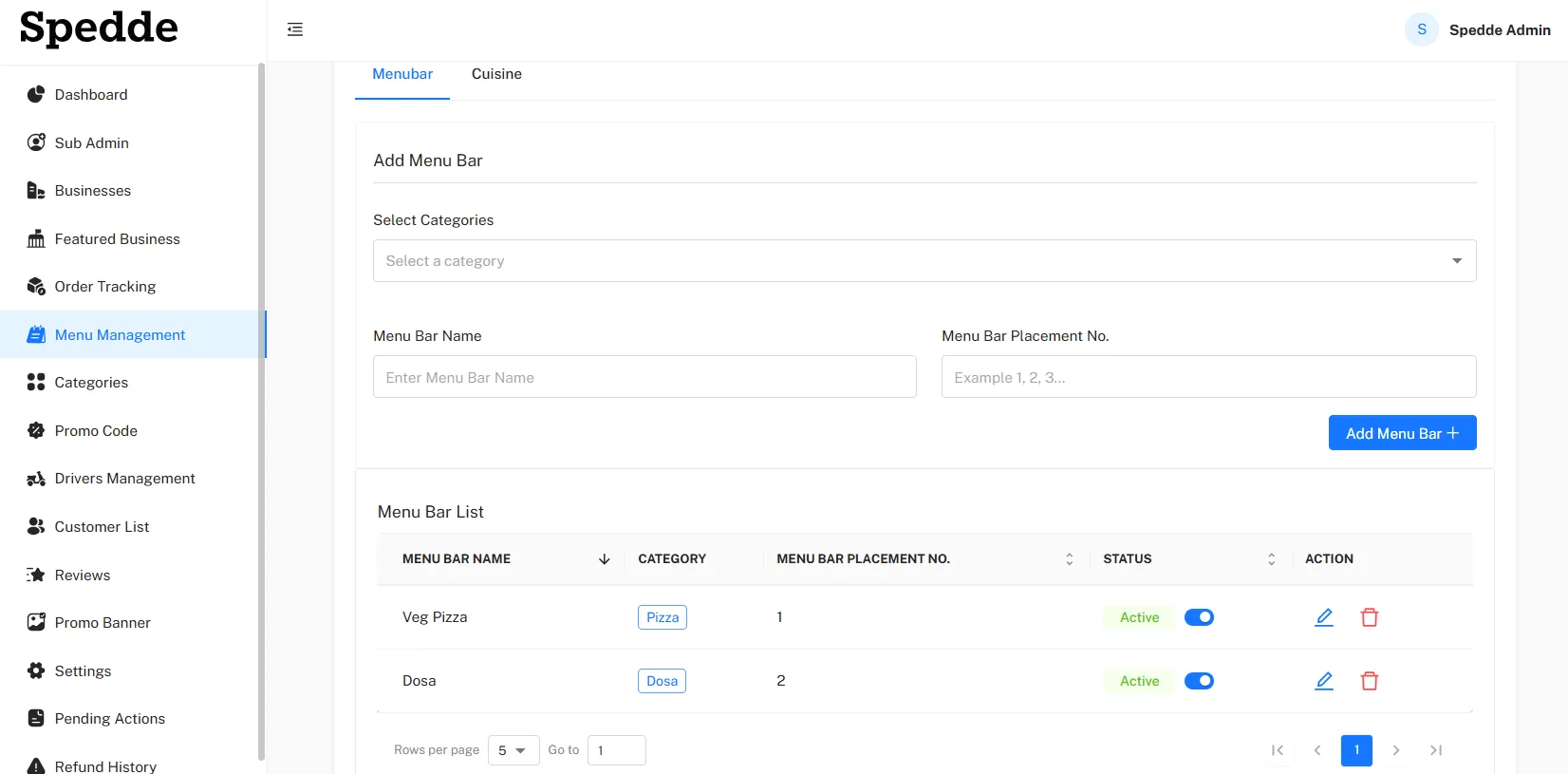
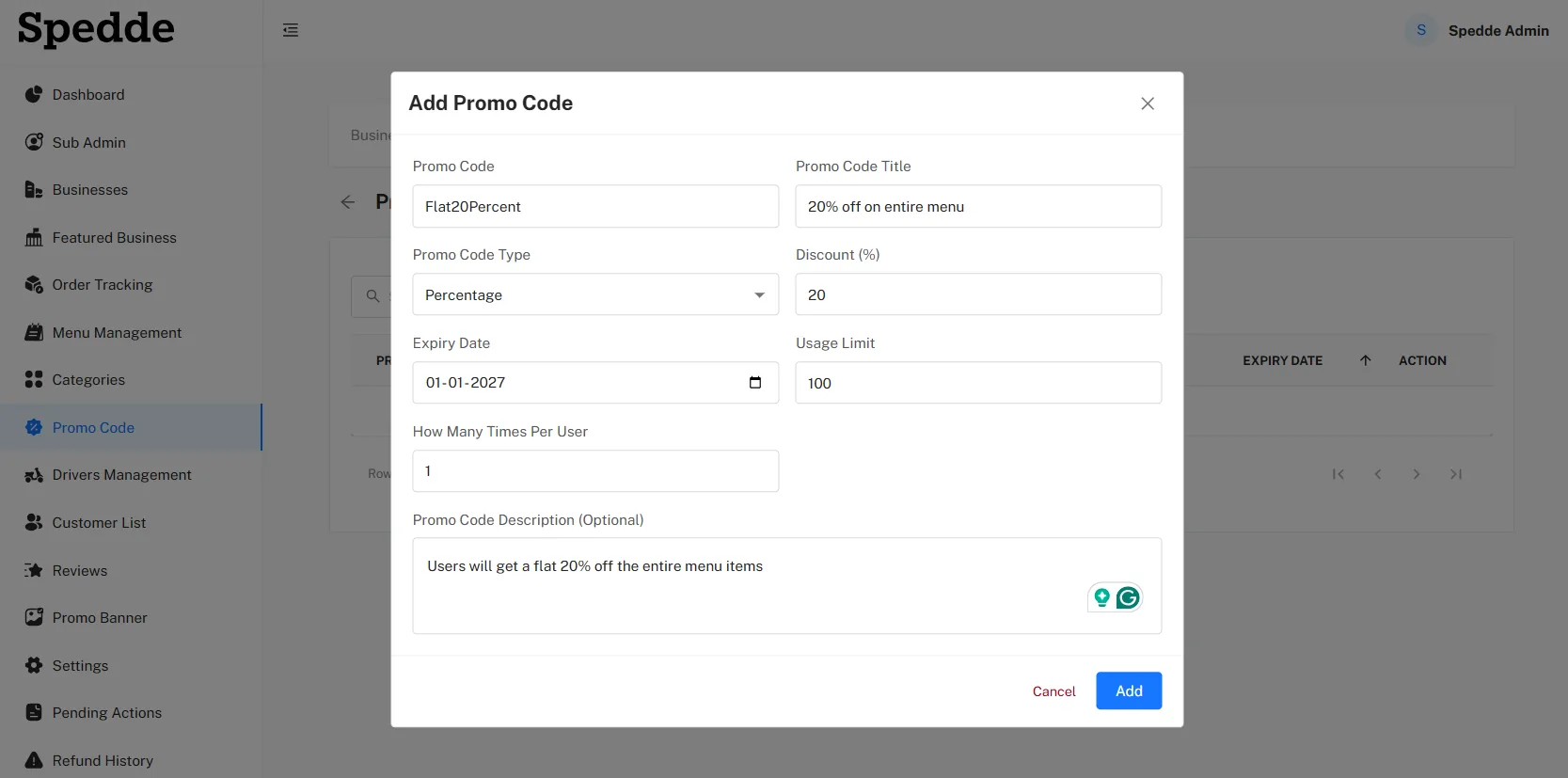
Admin dashboard with totals for businesses, drivers, users, admins, orders and earningsAdd driver form with name, phone, email, vehicle number and type, licence expiry dates, National Insurance number and document uploadsAdmin menu management screen for adding menu sections to categories, with a list showing status togglesAdd promo code form with code, title, percentage or flat type, discount, expiry date, usage limit and uses per customer

How does an order move through Spedde?

  1. Customer

    Places the order, choosing delivery or collection, applying a promo code and paying in the app.

  2. Restaurant

    Accepts the order, in the restaurant panel, by hand or automatically, and starts preparing it.

  3. Driver

    Accepts the request, while online, with the pickup, drop-off, distance and fee shown up front.

  4. Driver

    Collects and navigates, marking the order as picked up and following the route in Google Maps.

  5. Customer

    Tracks the driver, on a map, with push notifications as the order status changes.

  6. Driver and customer

    Delivery is completed, with a photo and notes, and the customer rates the food and delivery.

Which technologies were used?

Technology stack and the role of each
Technology Type Used for
Swift Programming language Native iOS apps
Kotlin Programming language Native Android apps
Laravel PHP web framework Back end and web panels
Node.js JavaScript runtime Back-end services
MySQL Database Restaurants, menus, orders, drivers and customers
Stripe Payment service In-app payments
Google Maps Mapping service Restaurant locations, driver navigation and live tracking

What was the result?

Spedde now runs restaurant discovery, order management and delivery on one connected platform.

  • CustomersBrowse menus, customise orders and choose delivery or collection.
  • RestaurantsManage orders, menus, opening hours, promotions and customer reviews.
  • DriversHandle delivery requests, navigate to each address and update order progress.
  • AdministratorsOversee restaurants, drivers and customers, track orders and review commission reports.

How much does a food delivery app cost?

A food delivery platform like Spedde costs more than a single app, because it needs a customer app, a driver app, a restaurant panel and an admin panel, plus payments, maps and live tracking. App development at LAD typically costs from £8,000 to over £100,000, and a four-sided platform sits towards the upper end. Starting with one city and the core order flow keeps the first version focused. See what affects app development cost.

Planning a food ordering or delivery app?

Tell us who orders, who prepares and who delivers. We will suggest a first version and give you a free quote.

Get a free quote