


Android represents nearly half of the UK mobile operating-system market, so Android app delivery reaches a substantial audience rather than a secondary channel (UK mobile operating-system share). For a UK product team, React Native Android app development is therefore a commercial choice with technical consequences. A shared codebase can shorten delivery and reduce duplicated product work, but it still requires deliberate Android testing, performance tuning, and release management.
React Native is established enough in the UK to support serious production planning. A UK company database identified 1,873 companies using React Native, while its analysis estimated that the country represented 7% of React Native clients among the countries tracked (UK React Native company usage). Those figures indicate an available local ecosystem for recruitment, maintenance, and delivery support, although they do not remove the need to assess engineering capability for the specific app.
The production question is practical: will the shared implementation deliver acceptable startup time, scrolling, offline behaviour, and reliability across the Android devices your customers use? Lower-spec hardware, different Android versions, permissions, background limits, and manufacturer customisations can expose issues that are invisible on a developer's flagship phone. A sound plan therefore treats React Native as a delivery foundation, then validates native integrations and device coverage before committing to launch scope.
Why React Native for Android Matters in the UK
UK Android teams do not choose React Native for novelty. They choose it because the UK market still depends heavily on Android, and that makes broad device coverage a commercial issue, not a technical preference. For consumer apps, missed Android support means missed reach. For B2B products, it leaves field staff, drivers, sales teams, and operations users on a mix of devices that still need to work reliably.
React Native's value in this market comes from coverage and delivery speed. It lets a team ship an Android app while reusing a large share of the product logic across iOS and, where relevant, web. That cuts duplicate effort and helps a UK business keep one product direction across a fragmented device base without splitting into separate mobile teams.
The local market signal is also practical. UK usage evidence shows React Native is already in active use across companies here, so it is no longer an edge-case framework for serious product work. That matters for hiring, support, and long-term ownership. A platform with local adoption is easier to staff and easier to explain to stakeholders who care about delivery risk.
For teams that need broader engineering support, software development services in London can help connect React Native work with wider product, backend, and QA delivery.
The business case depends on fit
React Native still is not the right answer for every Android product. It works best when the app needs broad product coverage, steady iteration, and a shared codebase that reduces delivery overhead. It fits less well when the business depends on very fast startup times, very small installs, or heavy native graphics work.
A practical rule is simple. Use React Native when the business wants wide Android reach and a faster build cycle, then test the app's real performance envelope before release.
That keeps the decision honest. For UK Android work, React Native is a strategic option only when the product team treats performance, device support, and release quality as production requirements from the start.
Understanding the React Native Architecture on Android
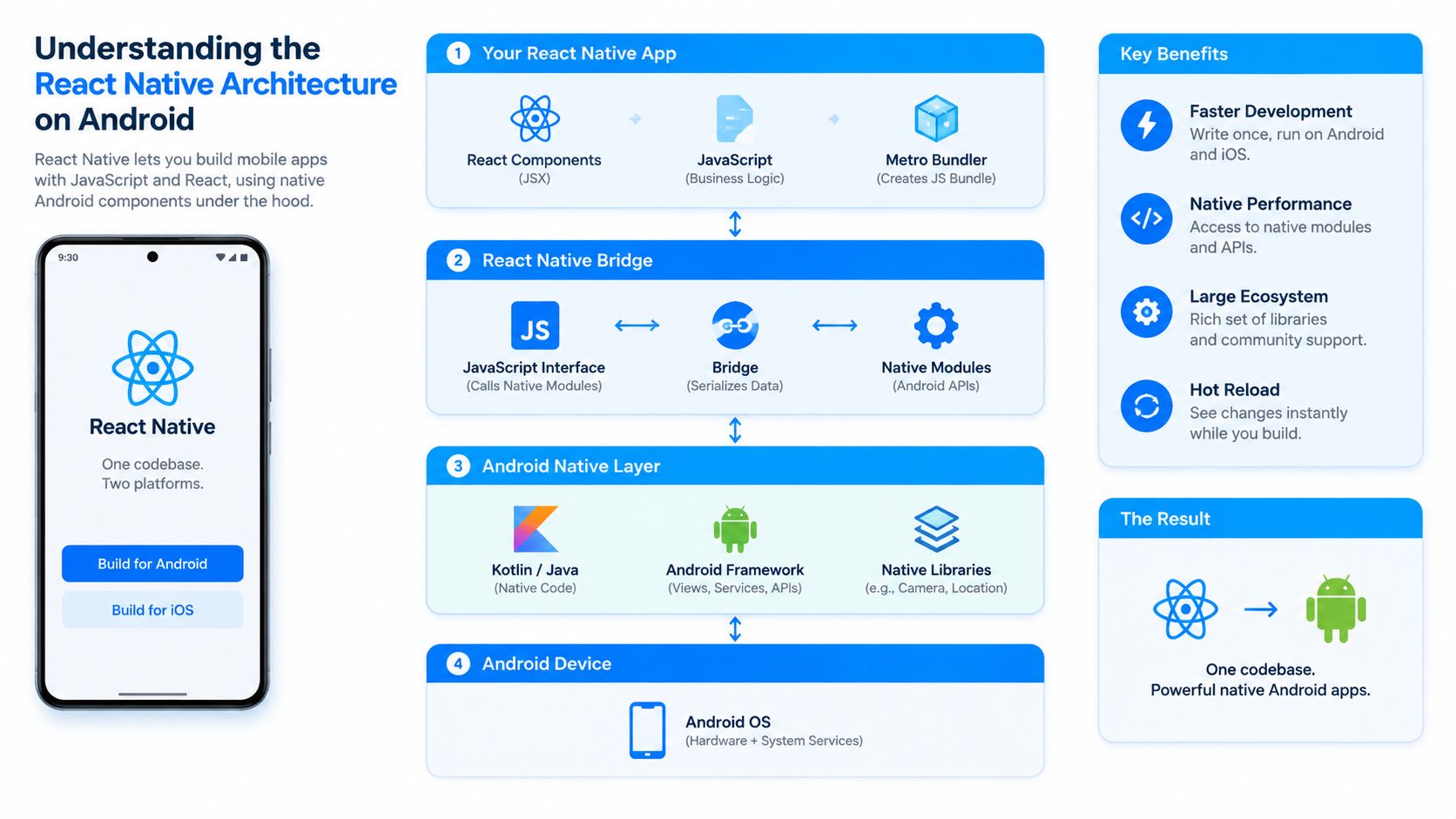
React Native on Android splits work between JavaScript and native components, then keeps them in sync through a communication layer. The JavaScript side decides what the app should do. Android native code handles what users see and touch.
The JavaScript thread handles logic, not everything
The JavaScript thread runs app logic, state changes, and the UI decisions that React code controls. That keeps delivery fast for product teams, because much of the code still feels like standard React. It also creates a real performance boundary, and when the thread is overloaded, users feel it.
For Android production work, that boundary matters. If the JavaScript side spends too long on rendering work, large data handling, or repeated re-renders, the interface starts to feel delayed. Keep the JS thread lean, profile it early, and push heavy work to the right layer before release.
The native side renders the interface
The native/UI thread does the visible work on Android. Buttons, lists, transitions, and screen updates still depend on native rendering, even though React code drives the screen. That is why React Native apps feel like real Android apps rather than wrapped web views, and why UI issues show up as performance issues instead of simple logic errors.
The communication layer, or the newer architecture pieces that replace parts of it, matters because the app still has to coordinate across two systems. Every extra exchange between JavaScript and native code adds latency. On Android devices, especially across fragmented hardware and OS versions in the UK market, that cost shows up quickly in touch response and screen fluidity.
Why this matters in production
UK teams need more than a framework that builds screens quickly. They need an architecture that can survive real device spread, QA pressure, and the support expectations that come with a live product. React Native can do that, but only if the team treats performance as part of product delivery, not as a cleanup task after launch.
That is also where planning around delivery support helps. A partner such as React Native app development services can be useful when a business needs architecture decisions, native module work, and release preparation to line up from the start.
A practical reference point is the architecture itself. The React Native Android stack is mature enough for serious products, provided the team understands where JavaScript ends and where native Android work begins. That distinction is what keeps release risk under control when an app has to perform well across a mixed device base.
React Native vs Native Android A Strategic Comparison
React Native usually gets a product to market faster, while native Kotlin usually gives you tighter control over Android performance and app size. The right choice depends on what the app must do well on day one, and what the team is prepared to tune later. For a UK product team, that decision should be tied to device mix, release cadence, support load, and the cost of keeping the app stable in production.
| Factor | React Native | Native Android (Kotlin) |
|---|---|---|
| Development speed | Strong for shared logic and fast iteration | Strong when the team is Android-only |
| Startup and footprint | Heavier in some configurations | Leaner in comparative testing |
| UI consistency | Easier to align with iOS and Android patterns | Fully Android-native by default |
| Device feature access | Good, with native modules where needed | Direct and immediate |
| Team model | Works well for React-heavy teams | Best for Android-specialist teams |
| Long-term optimisation | Requires more performance attention | Easier to tune for Android-specific constraints |
Performance is the clearest divide
Comparative testing has shown React Native to be heavier on disk and slower on initial load than native in some cases, with one reported comparison showing 1.2 seconds initial load versus 0.8 seconds for native, 220MB versus 180MB memory use, and an 18MB versus 3MB APK size (React Native vs native comparison). That does not make React Native a poor choice. It means the team has to respect the product's performance ceiling from the first release.
A practical Android build can still perform well if startup work is controlled, screens are measured on real devices, and native modules are used only where they add clear value. The difference shows up most clearly on lower-spec phones and in apps that depend on quick first impressions.
Team fit and product scope matter just as much
React Native suits teams that already work in React, TypeScript, and shared application logic. It fits especially well when the Android app sits inside a wider product family and the business wants to keep feature parity high across platforms. Native Android fits better when the app is Android-first, tightly tied to device features, or sensitive to launch time and memory use.
If the app's business value depends on speed to market, React Native has a strong case. If the app's value depends on absolute Android efficiency, Kotlin deserves a harder look.
For a client comparing delivery options, a dedicated Android app development service gives a clear native reference point, because it shows what an Android-only build can deliver before cross-platform trade-offs are added.
The decision should follow the product shape
Use React Native when the launch needs a shared codebase, predictable maintenance, and faster feature delivery across platforms. Use native Android when the app is performance-critical, device-specific, or expected to push Android hardware hard from the start. The wrong choice usually shows up later as slow releases, awkward rewrites, or a growing backlog of platform-specific fixes.
Managing Performance in React Native Android Apps
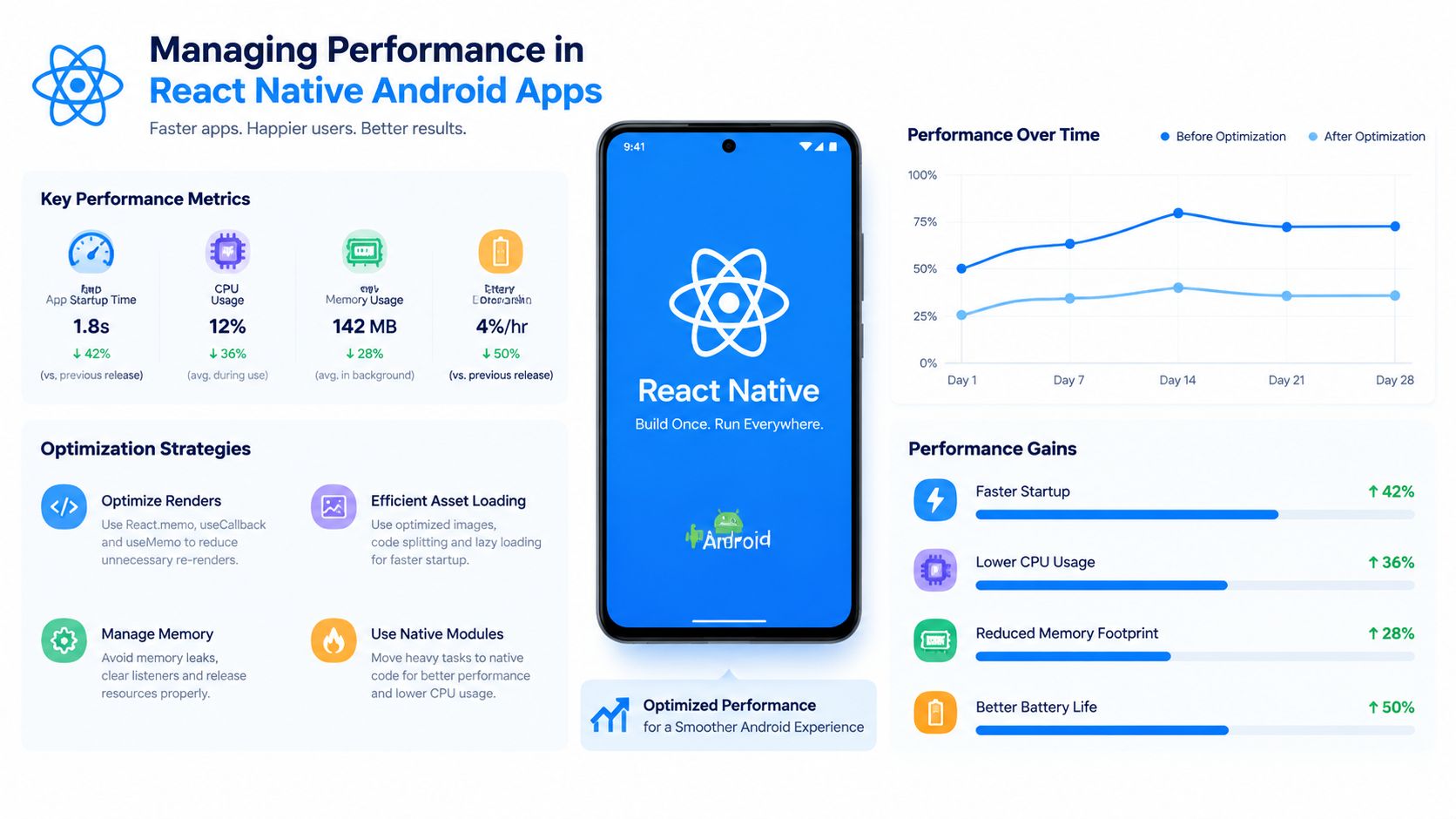
A React Native Android app only feels fast if it stays inside the frame budget. Android still gives each frame a tight window, so JS-thread stalls, excess bridge traffic, and heavy reconciliation quickly turn into visible jank. That constraint should shape architecture, state handling, and animation choices from the start.
Start with startup time and memory discipline
Startup is a product issue, not an engineering side note. Benchmarks from the React Native new architecture discussion showed a small install footprint and quick time-to-interactive on a Pixel 7, which is useful as a reference point for early-screen performance. If the first screen hesitates, users notice before they reach any value.
That pressure is stronger on mid-tier hardware, which many UK products still need to support. Cold starts usually stretch further on less capable devices, so the only reliable approach is to profile release builds on real phones, not just on a development handset.
JS thread work needs active control
Repeated re-renders are one of the fastest ways to make an app feel sluggish. Keep state changes local, virtualise long lists, and move expensive calculations out of the render path. If the JS thread gets busy, the UI feels it immediately.
Animation work should stay off the JS thread where possible. That keeps gestures and transitions responsive while the app is loading data or updating screens. Hermes tuning also matters, because startup and memory behaviour affect how the app performs across the mixed Android fleet common in the UK market.
Storage and data access need care
Persistent storage can undermine performance if the team treats it as an afterthought. Heavy local reads during startup slow hydration and make the app feel less predictable. For a practical view of storage discipline, AsyncStorage best practices for B2B is useful because it focuses on how storage choices affect real application behaviour, not just theory.
A good rule is simple: profile the release build on a mid-range Android phone before you add feature polish. If it feels slow there, it will feel worse on older handsets. The same discipline helps with data-heavy screens, where a few poor storage decisions can make the whole app feel less responsive.
Release-tested React Native Android apps can work well for UK teams that care about speed to market and cross-platform consistency. Apps measured casually usually pay for it later, with slower releases and more time spent chasing performance regressions.
Essential Tooling and Development Workflow
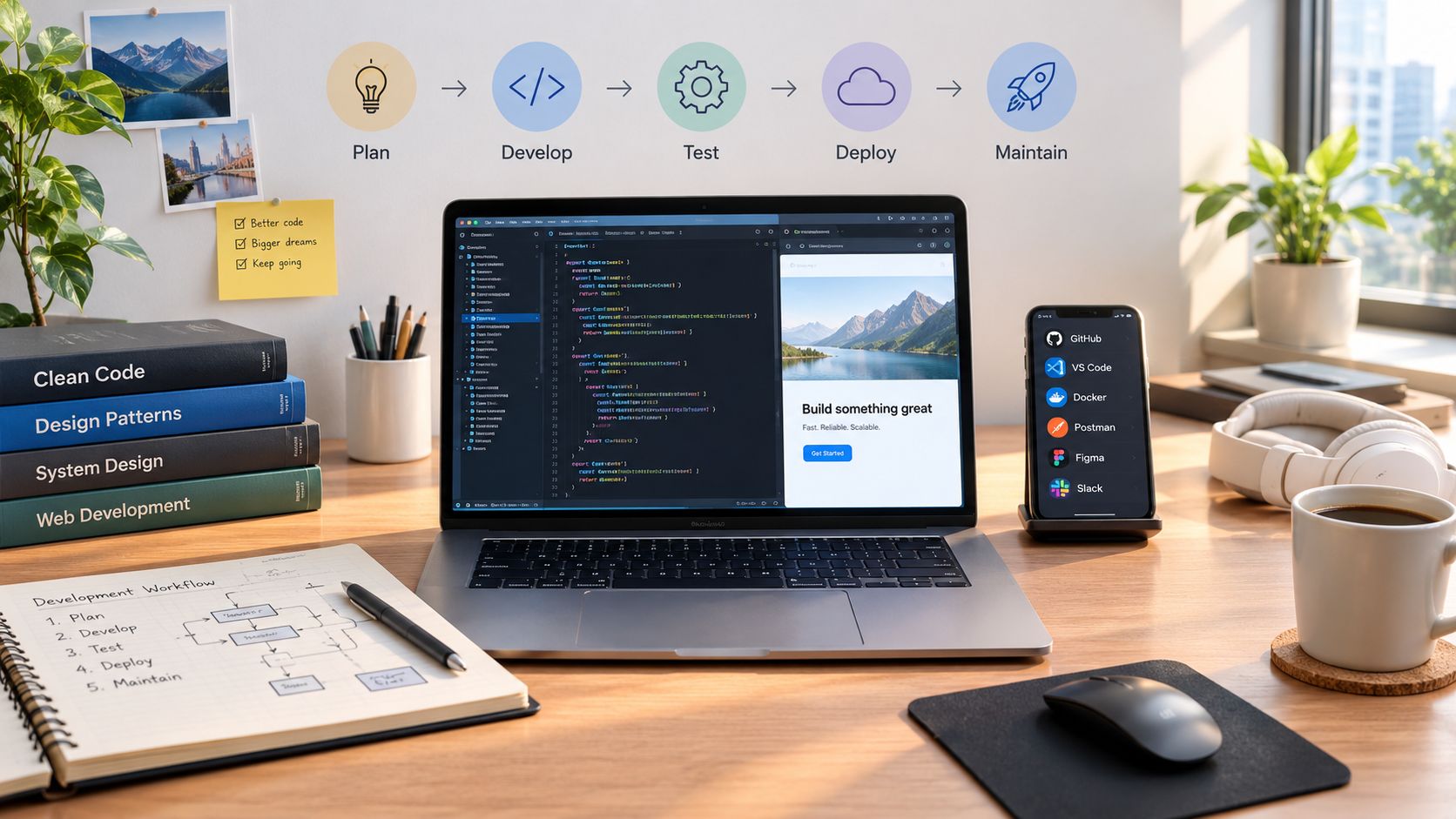
Good tooling doesn't make a weak app strong, but it does stop a strong app from becoming chaotic. React Native Android work usually starts with a workflow choice, then expands into debugging, state, navigation, and build management. The most useful stacks keep each of those concerns obvious rather than hiding them behind magic.
Pick a workflow that matches the team
Expo suits teams that want a managed workflow, faster setup, and fewer native wiring tasks. The bare React Native CLI suits teams that need direct native control, custom Android modules, or more explicit build ownership. The right answer usually depends on how much Android-specific work the app requires.
The practical difference is not philosophical, it's operational. Expo reduces friction around project setup and common mobile services. The bare CLI gives the team more room to bend the project to Android-specific needs. For many UK products, the choice comes down to whether the app is a product-first build or a platform-first build.
Use tools by function, not by habit
A sensible workflow usually separates the stack into three groups.
- Scaffolding and build management: Expo or the React Native CLI for project creation, release workflows, and device builds.
- Debugging and inspection: Flipper for device-level visibility, log analysis, and runtime checks.
- State and navigation: Redux or Zustand for predictable state, React Navigation for app flow, and type-safe route structure where possible.
That list is not about fashion. It's about reducing ambiguity when a bug appears in Android-specific behaviour, especially where layout, gestures, or async state collide.
Keep the app architecture boring
TypeScript is worth insisting on, because it cuts down on accidental regressions in navigation and state shape. Navigation deserves early design work, since bad route structure becomes expensive to change after the product grows. State management should stay as simple as the product allows, because over-engineered global state usually creates more maintenance than it removes.
For teams evaluating external delivery support, React Native app development is one relevant option in the UK market, while internal teams often use the same stack principles to standardise their own delivery process. The important part is not the brand, it's whether the workflow produces repeatable Android releases.
Build the workflow so that a new engineer can find the release path, the debug path, and the state path without guessing. If they have to guess, you'll pay for it in bugs.
Achieving Production Readiness for the UK Market
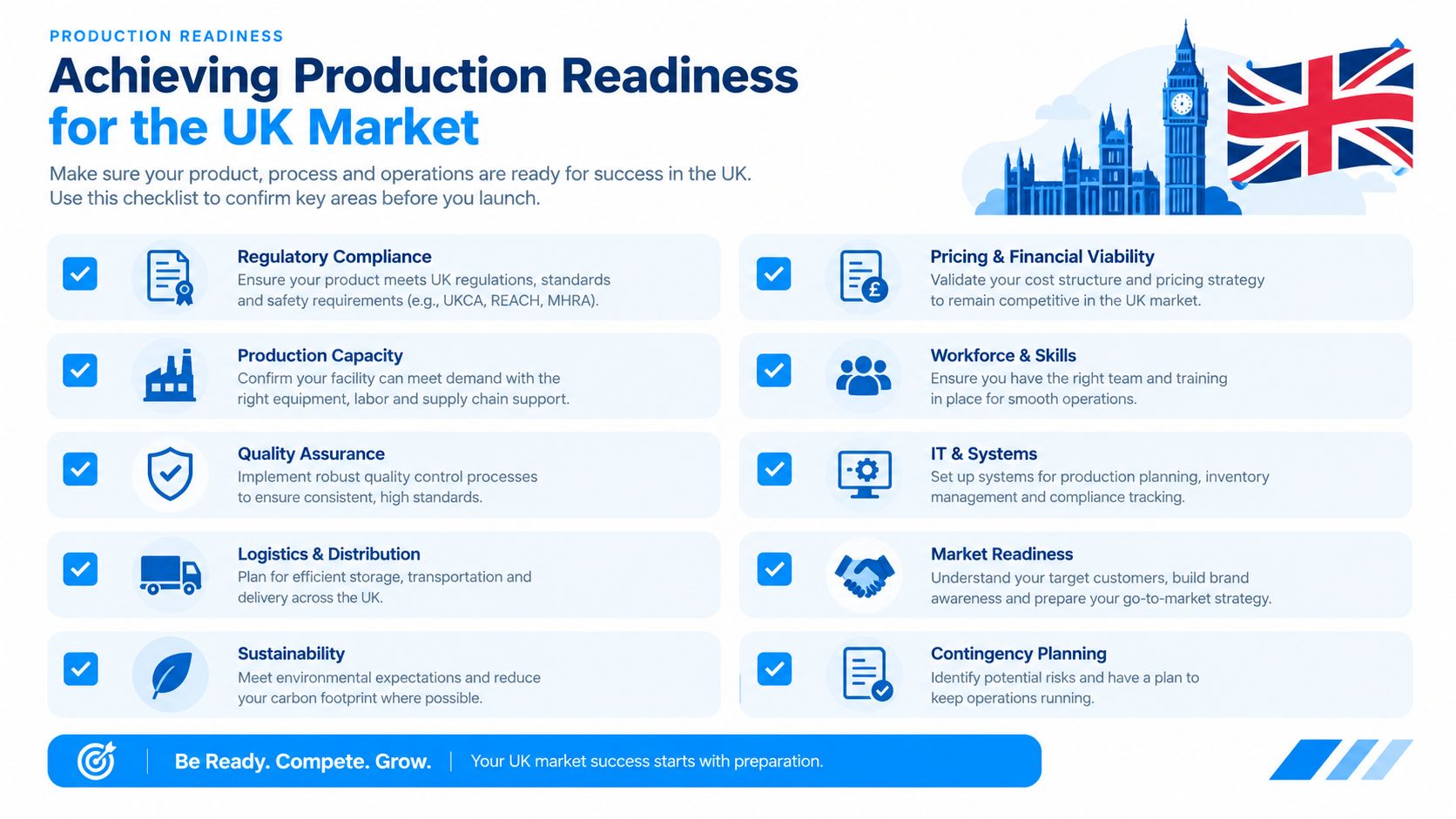
Production readiness is a discipline, not a final polish step. On the UK Android market, that discipline starts with device fragmentation, legal compliance, and release hygiene. A React Native app that works on one modern handset but fails on older or less common devices is not production-ready, it's only partially tested.
The UK Android fleet is fragmented enough to matter
Statcounter's August 2026 data shows Android 16 at 30.01%, Android 13 at 13.33%, Android 14 at 13.33%, and Android 15 at 11.56% in the United Kingdom (UK Android version market share). That means one release target does not cover the market. A serious UK launch plan tests across multiple Android generations, device sizes, and manufacturers, because bugs often appear in the gaps between those environments.
The point is not to support everything forever. The point is to define what your app supports, test that envelope rigorously, and communicate it internally before launch. Without that clarity, support teams end up absorbing avoidable issues after release.
Security and signing are part of readiness
The UK Government's Code of practice for app store operators and app developers says developers shall use industry-standard encryption for data in transit and local data encryption where needed, and it ties app processing to the UK GDPR security principle (UK app developer code of practice). For a React Native Android app, that means secrets stay out of the client, data handling stays deliberate, and release builds use proper signing and review discipline.
A useful release process includes signing validation, store listing checks, and a security review before the APK or app bundle goes live. For teams that need a formal external review, compliance-ready pentest reports fit naturally into the launch checklist because they turn vague concern into actionable findings.
Testing should be treated as a launch control
Testing is where production readiness becomes visible. Functional tests catch regressions, but device testing catches the Android-specific issues that React Native teams often underestimate. That includes keyboard behaviour, safe areas, permission flows, memory pressure, and screen transitions on lower-cost devices. A mobile app testing service becomes relevant here because launch quality depends on coverage, not optimism.
React Native is a strong choice for many UK Android products, but only when teams respect the operational cost of shipping responsibly. If your app is heading toward a UK launch, audit the device matrix, validate encryption and signing, and run release-build testing before the first store submission. If you want help turning a React Native Android concept into a production-ready UK release, speak to London App Development about the build, test, and launch path that fits your product.